If necessary, use your TV’s
remote control to select the external source on your TV to which your TV Box is connected (AV1, HDMI1, EXT1, etc.)
Use the arrow keys
to navigate through the menus and
to confirm.
Holding down a directional button allows you to browse horizontally or vertically more quickly.
Back to the main menu
Return to the previous screen
Pausing or resuming a programme
Move through a programme (hold down the button to increase the speed)
There are several ways to watch live TV from the main menu:
Press
Press
Select the programme you fancy from the ‘On TV Now’
category.
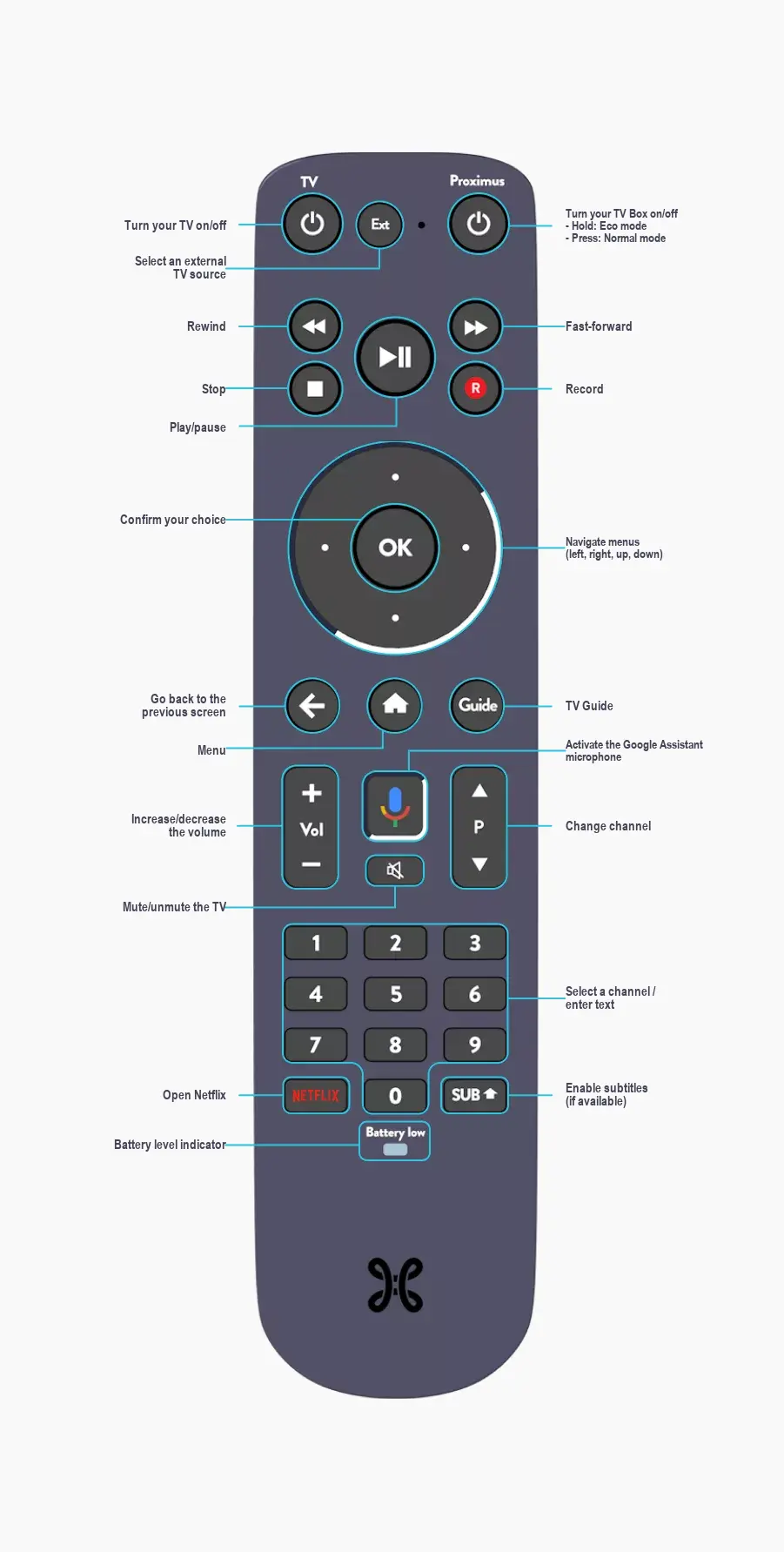
The buttons on the remote control
Use a single remote control for the TV and the TV Box
Control your TV and your TV Box with the Proximus remote control.
This means you’ll be able to:
Turn on your TV or turn it off
Select an external source on your TV
Adjusting the volume on your TV
Mute your TV
In most cases, you don’t need to do anything; the Proximus remote control also controls your TV via Bluetooth, which you activated when configuring the TV Box.
If this is not the case, you can do the following:
→
→ Device settings → Remote control and accessories → Proximus RC408 → Remote control configuration
Control your remote however you like
From now on, you no longer need to point your remote control at the TV Box. Just use a Bluetooth connection! This is handy if you want to put it in a cupboard.
Press the following buttons simultaneously for a few seconds
and
buttons on the remote control for a few seconds.