Menu
View all guides

PLC adapters – Pack of 2 PLC adapters

Installation Guide
Step 1

Before you begin

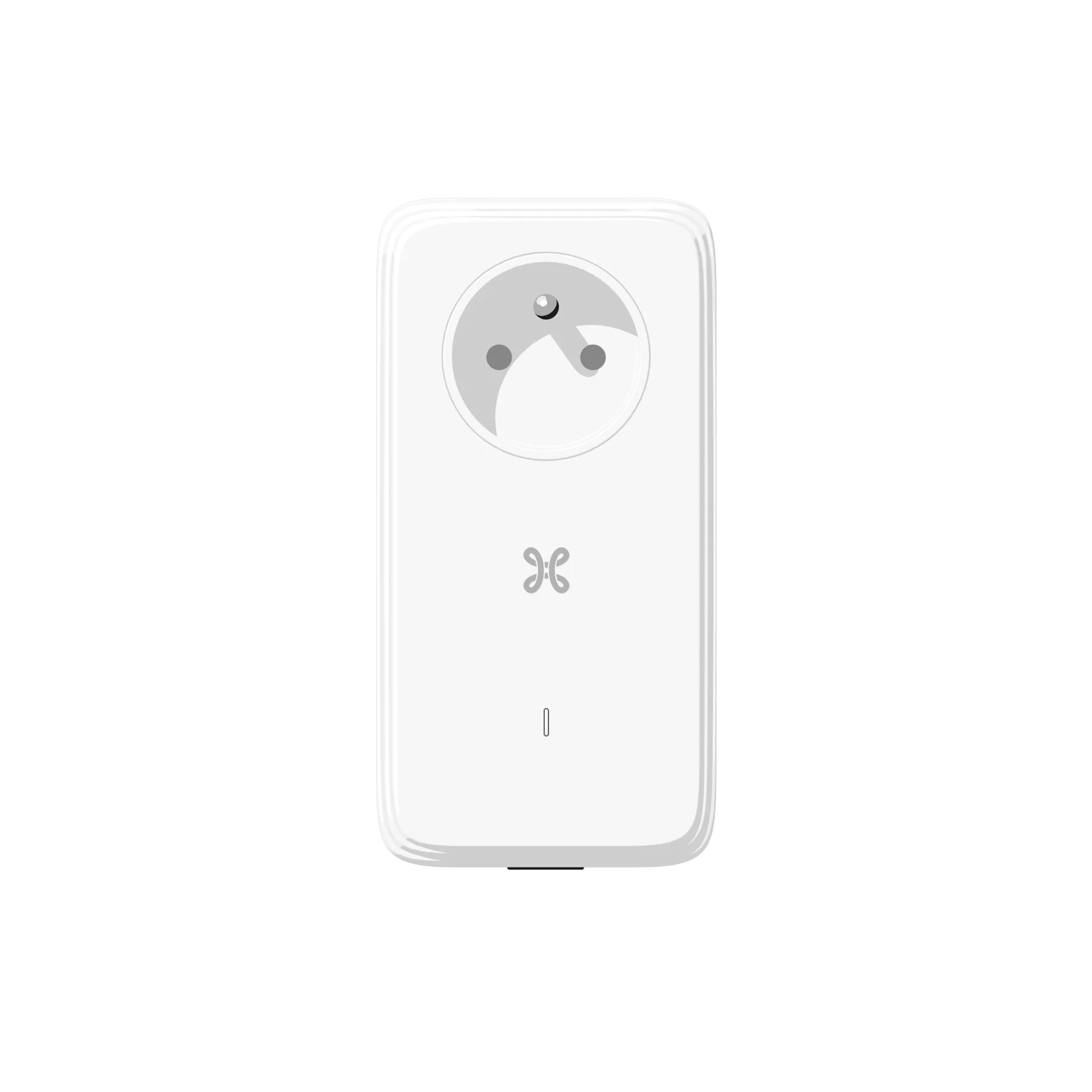
The PLC adapters are the wireless solution that allows you to connect your TV Box to your b-box via the mains, wherever the b-box is located! This guide will help you carry out your initial basic setup. To do this, you have been sent a pack of two PLC adapters.

Installation type
Select the type of box you have.
Please make sure you have a b-box 3 or later.

Required components for the installation


Step 2

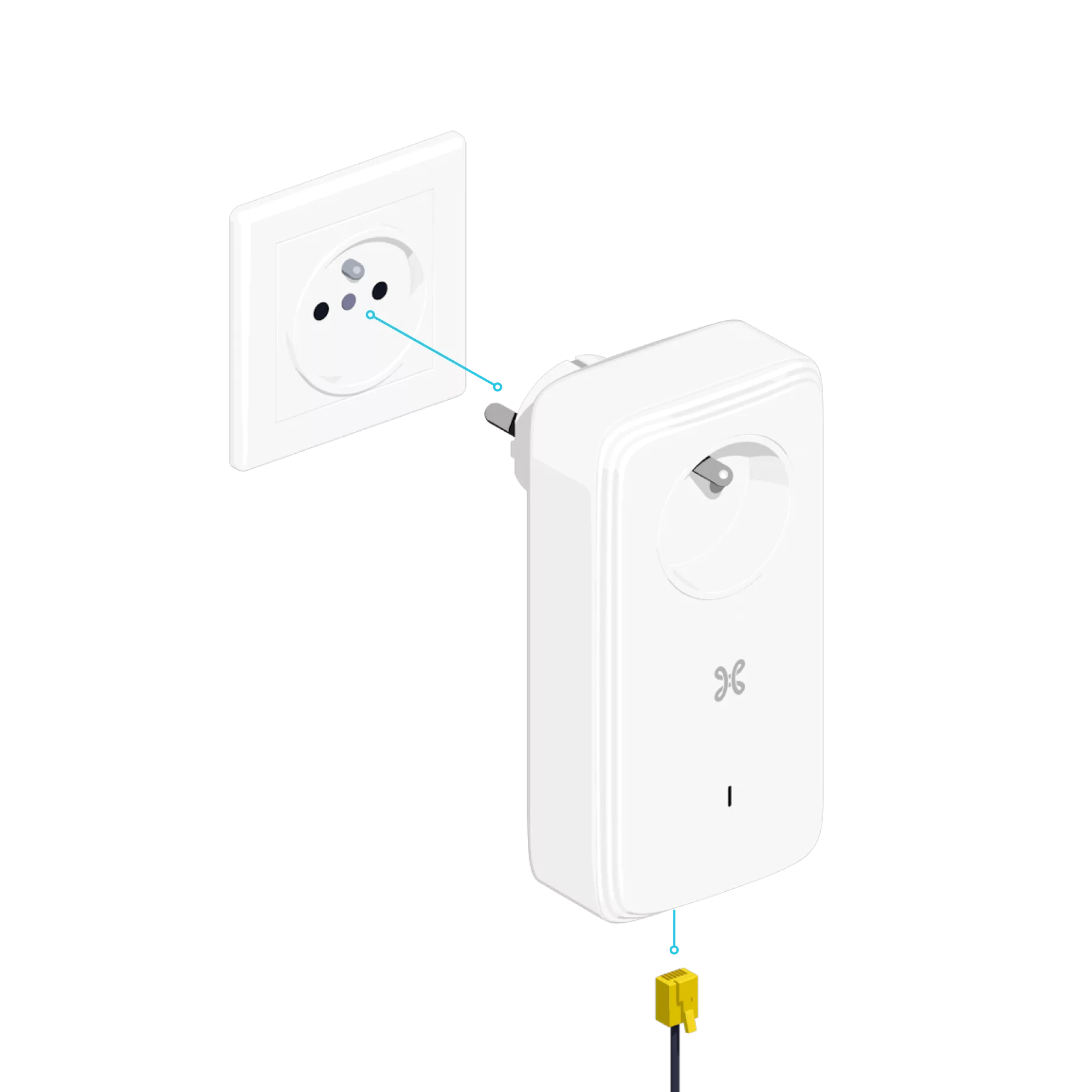
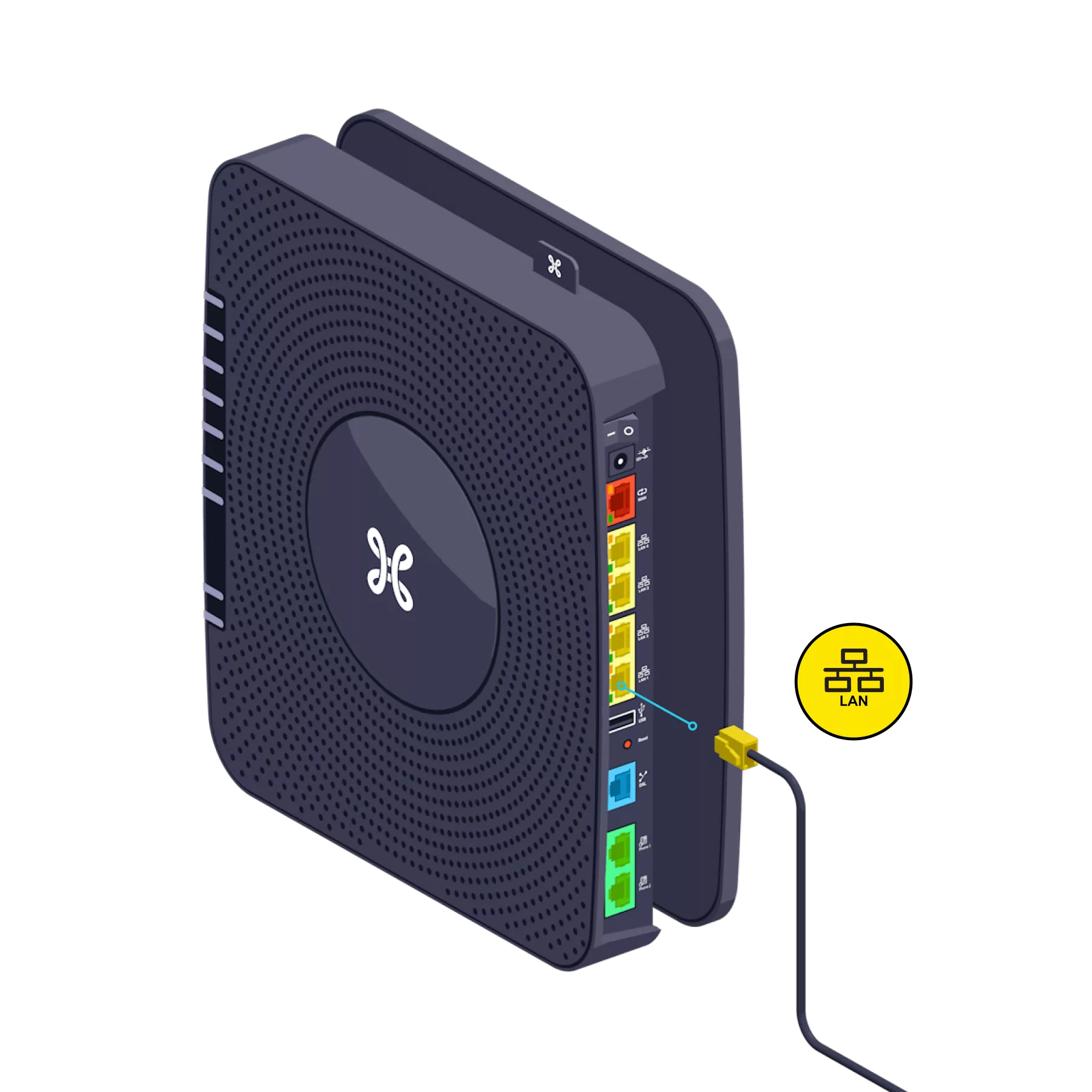
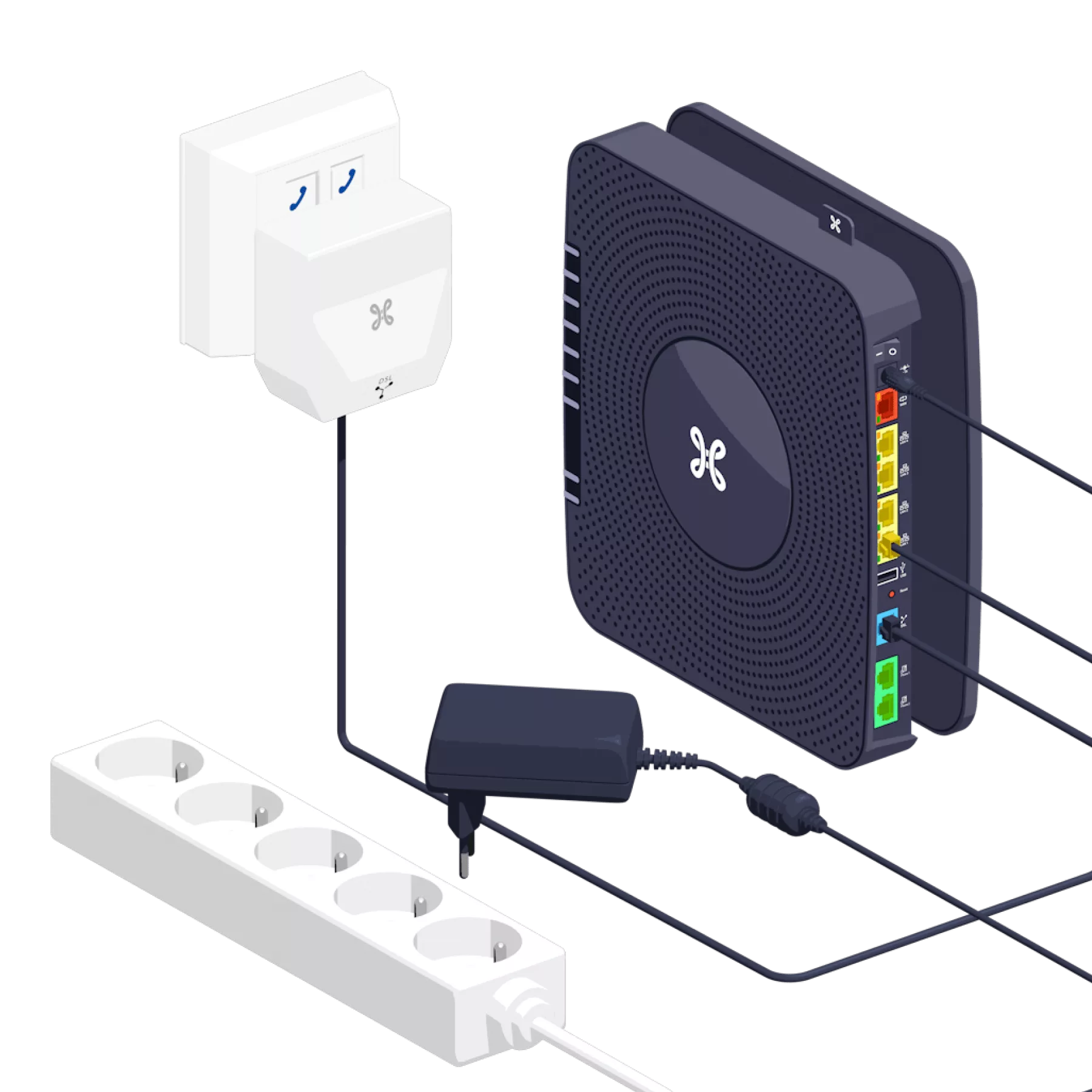
Connect the 1st PLC to the b-box

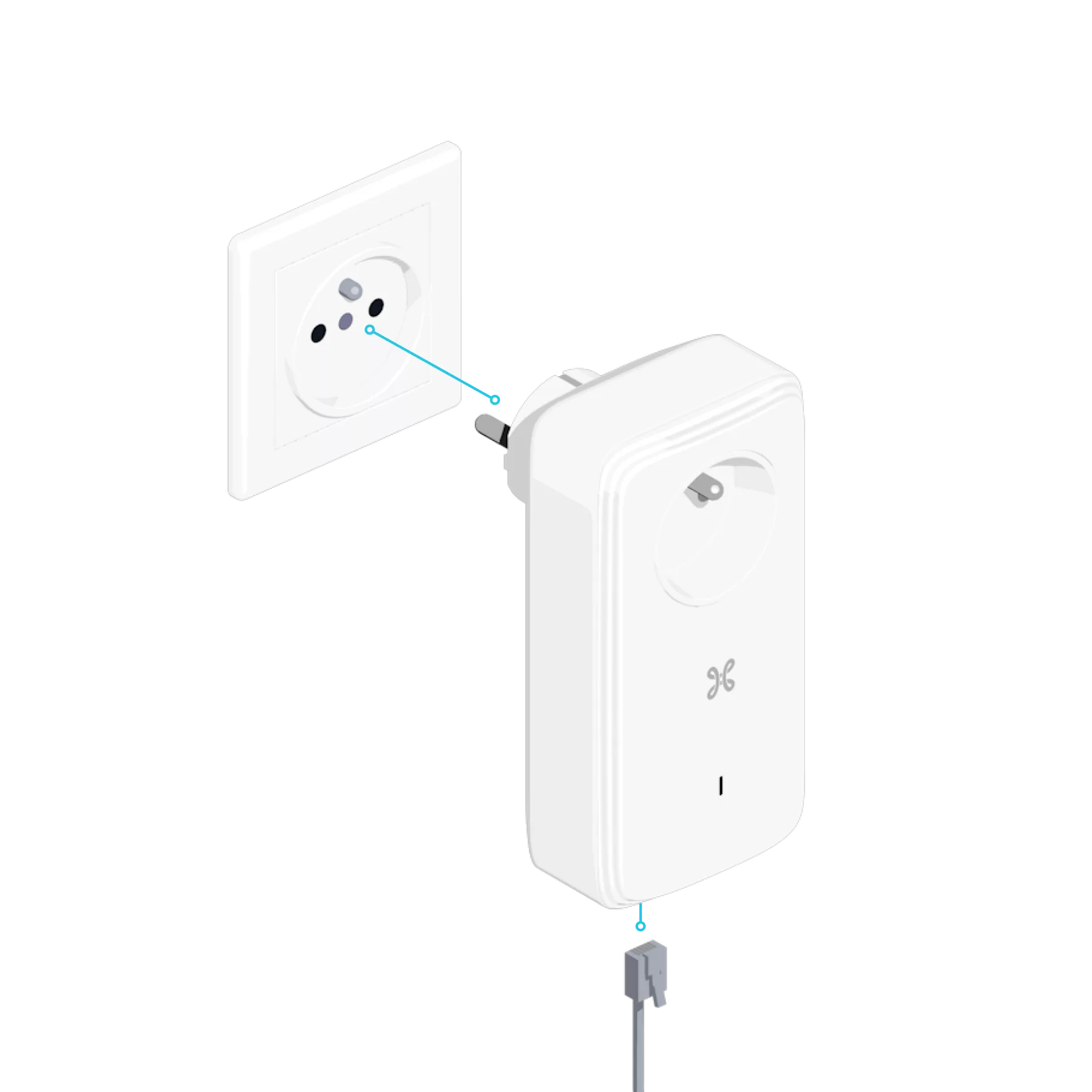
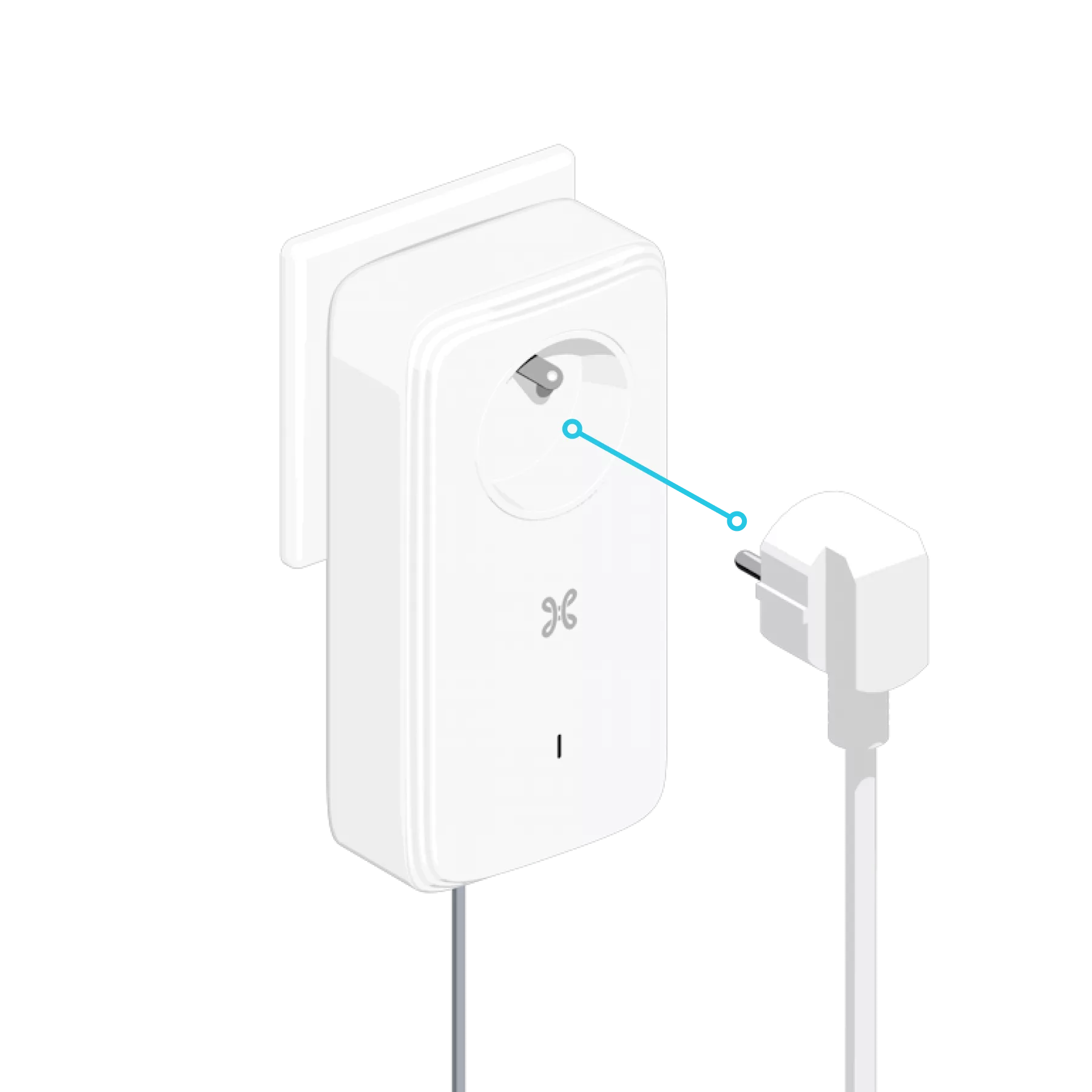
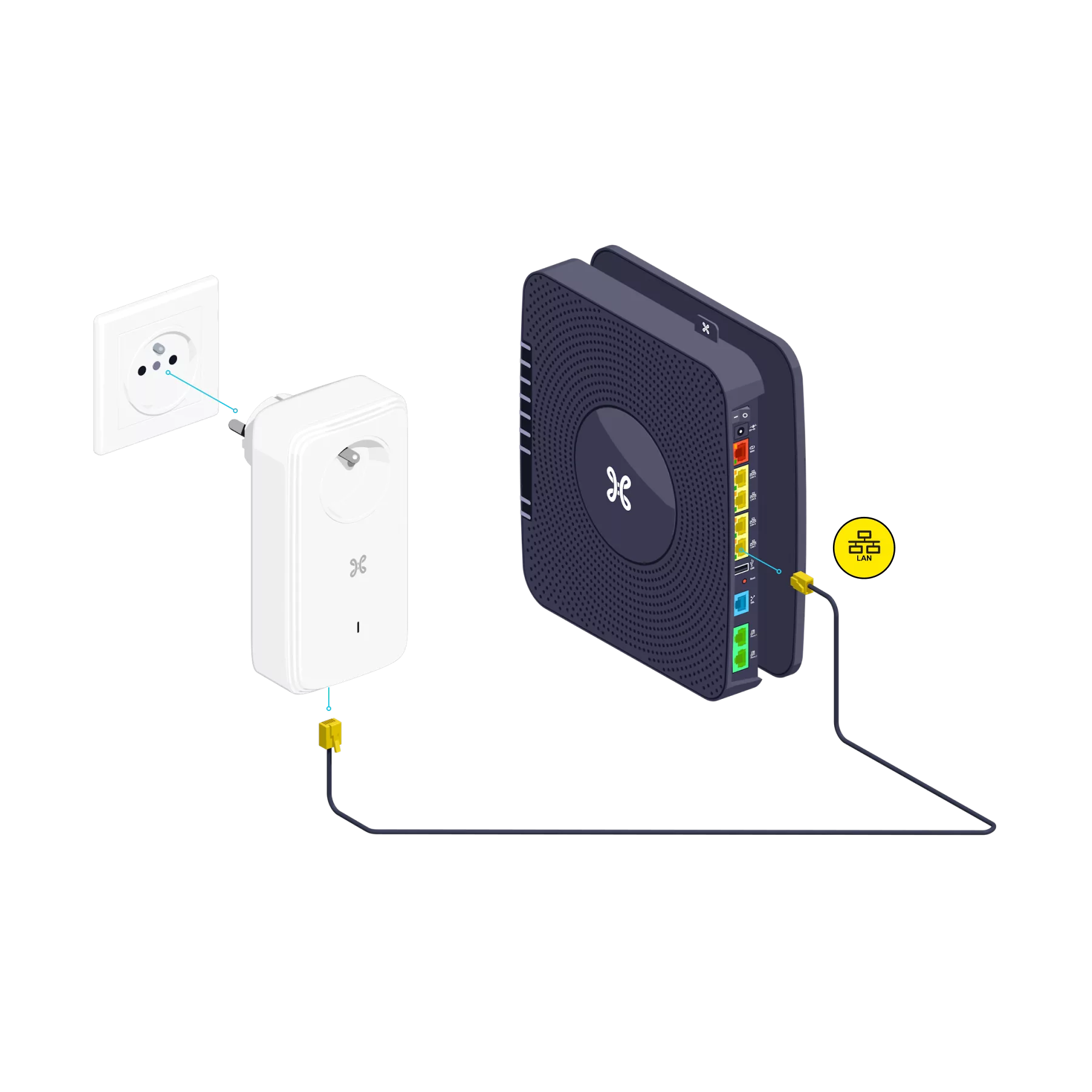
Connect one of the two PLC adapters to a power socket. Use the Ethernet cable to connect it to one of the yellow LAN ports on the b-box.

Step 3

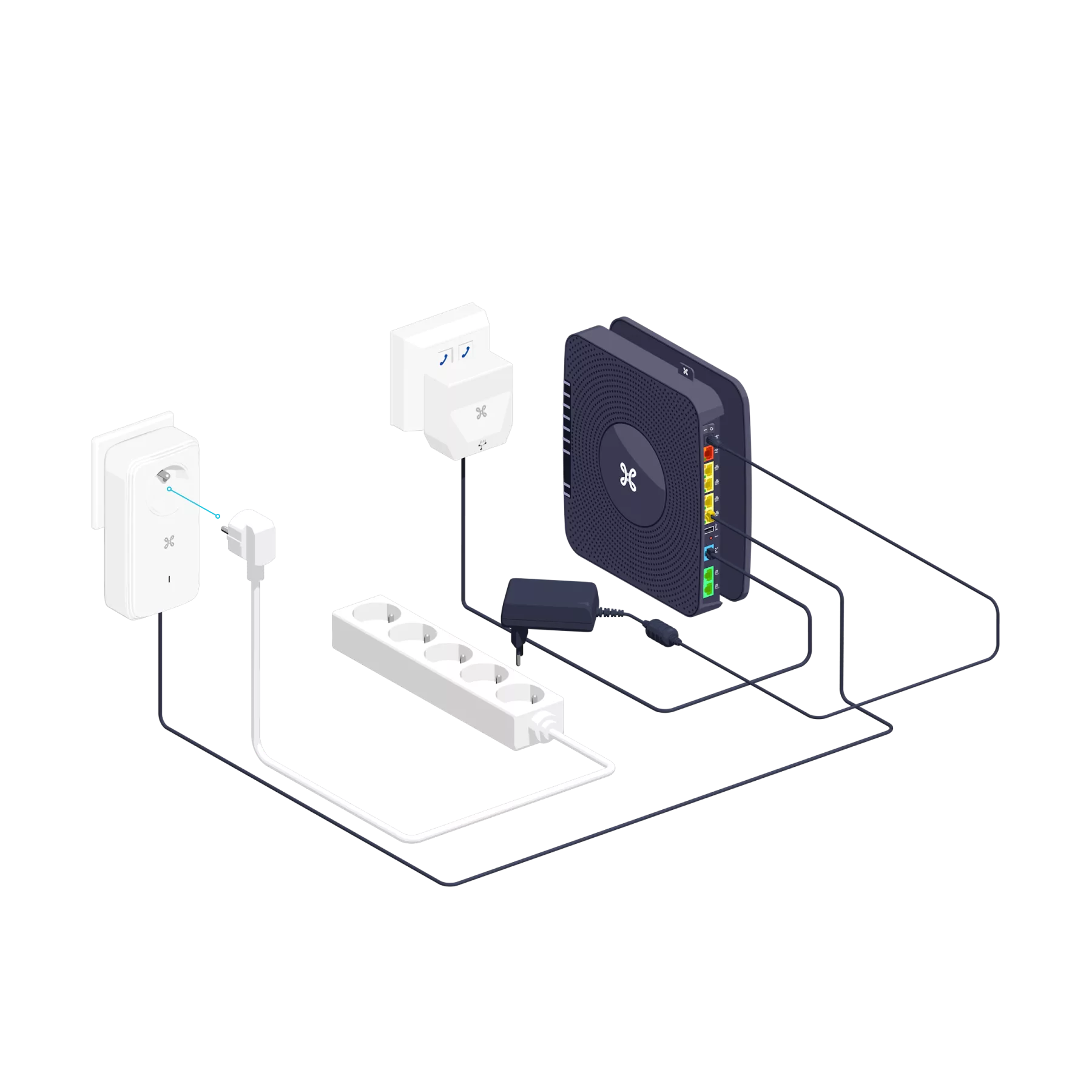
Switch on the b-box

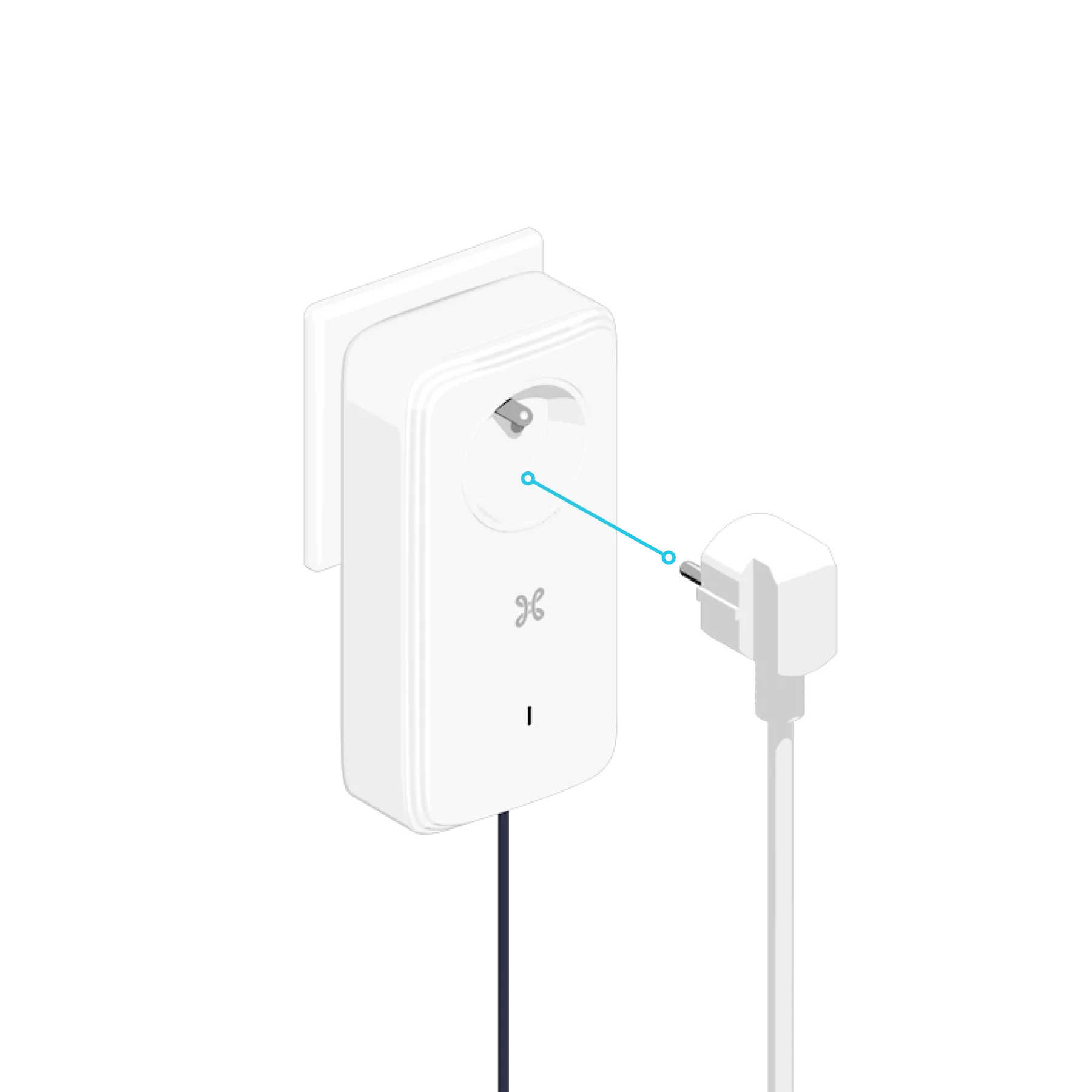
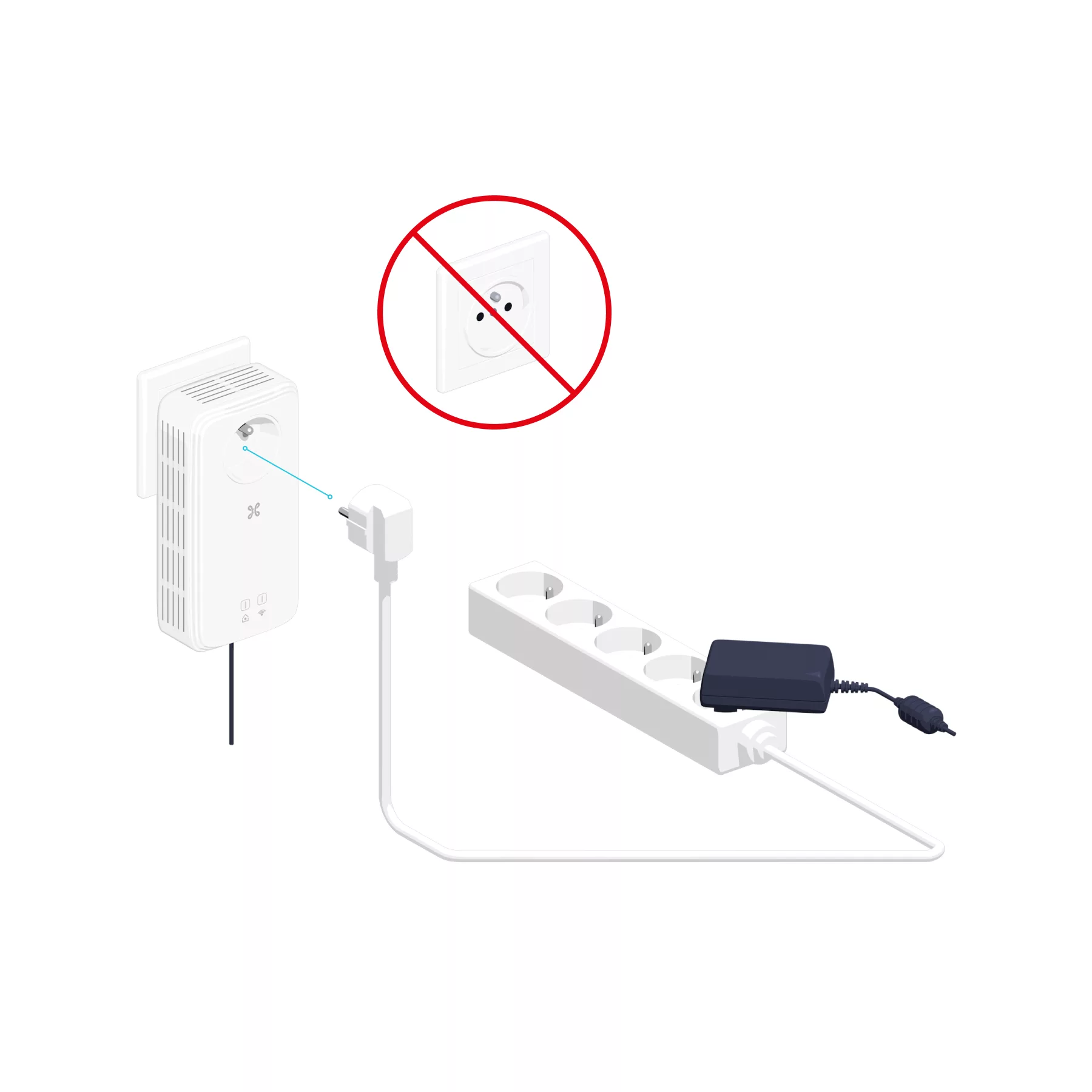
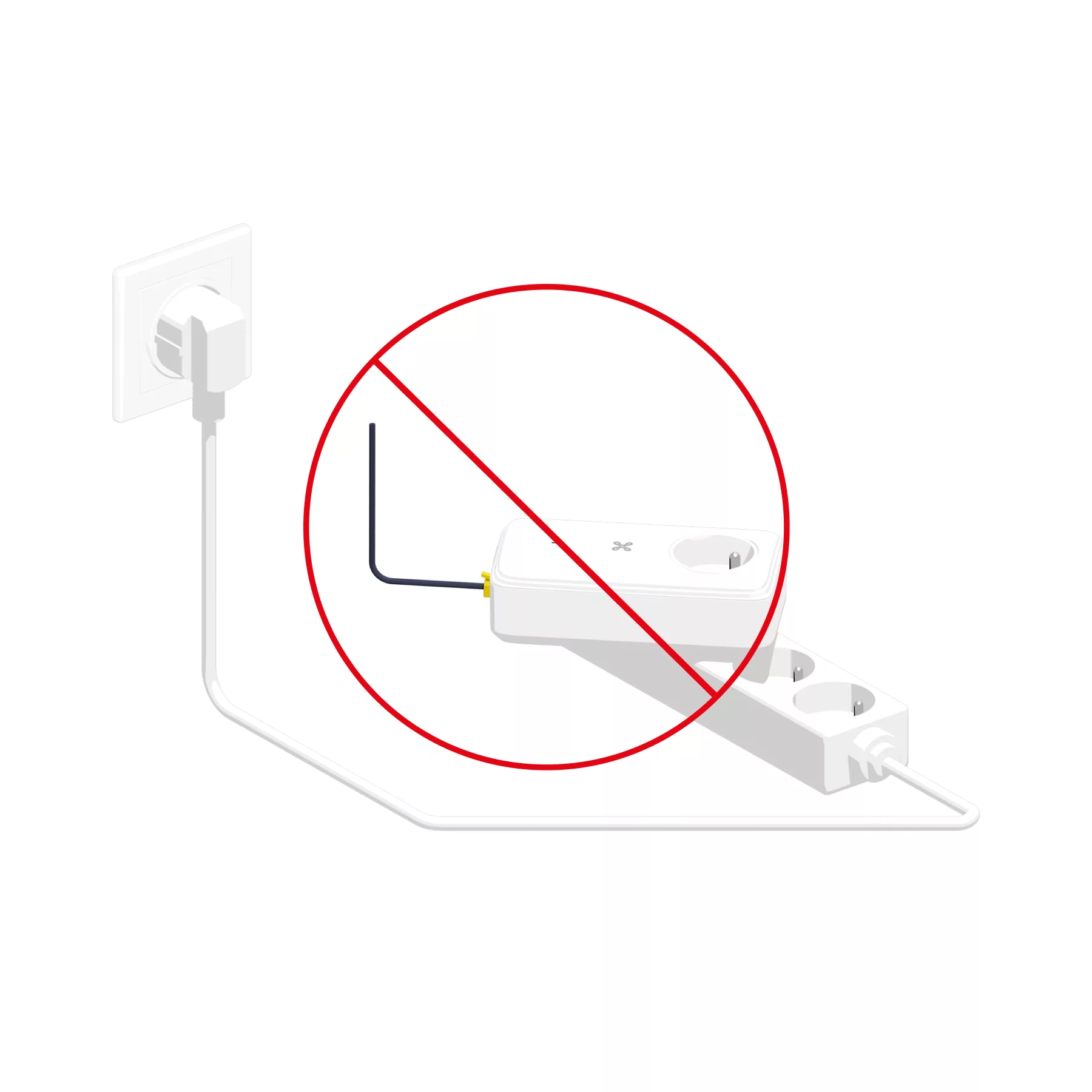
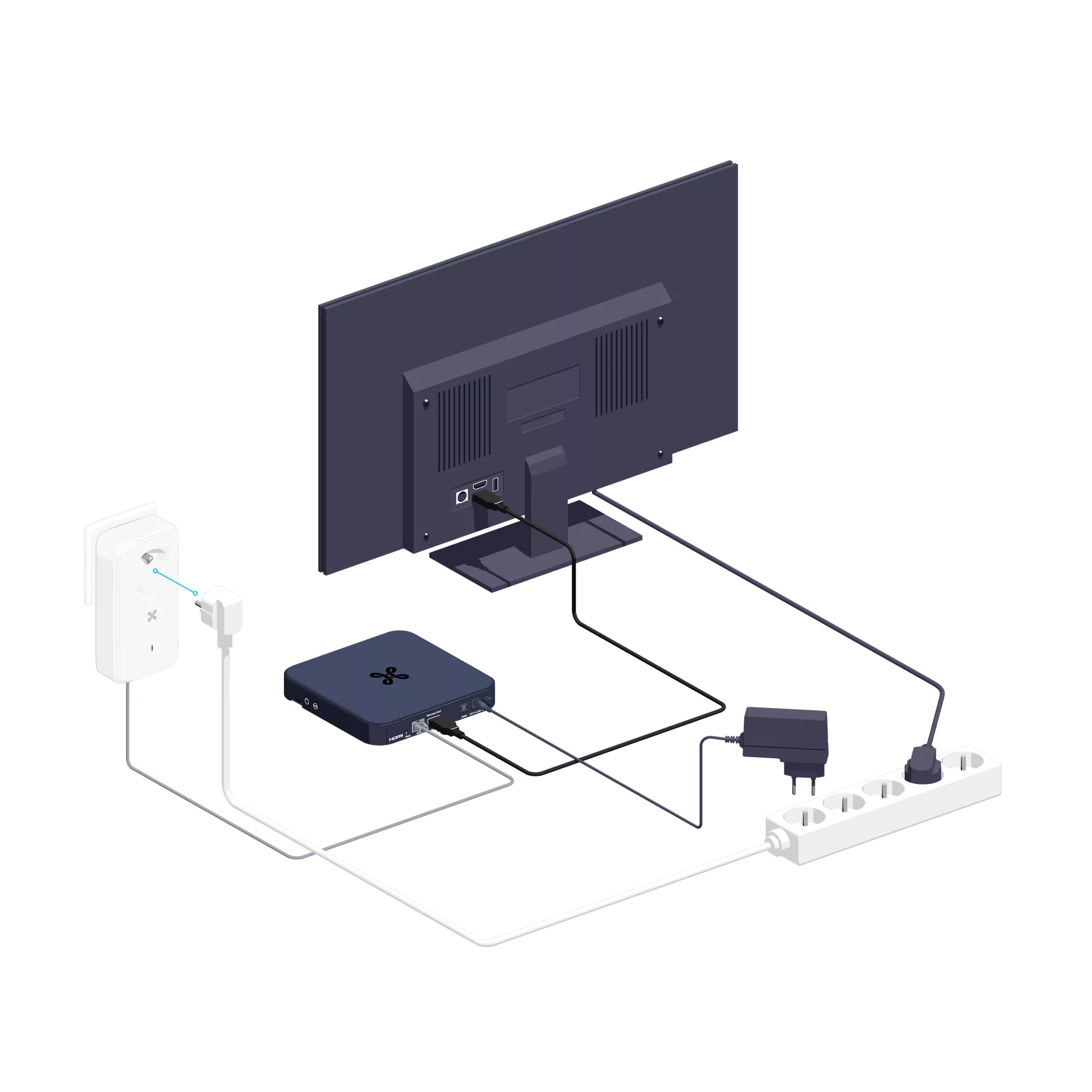
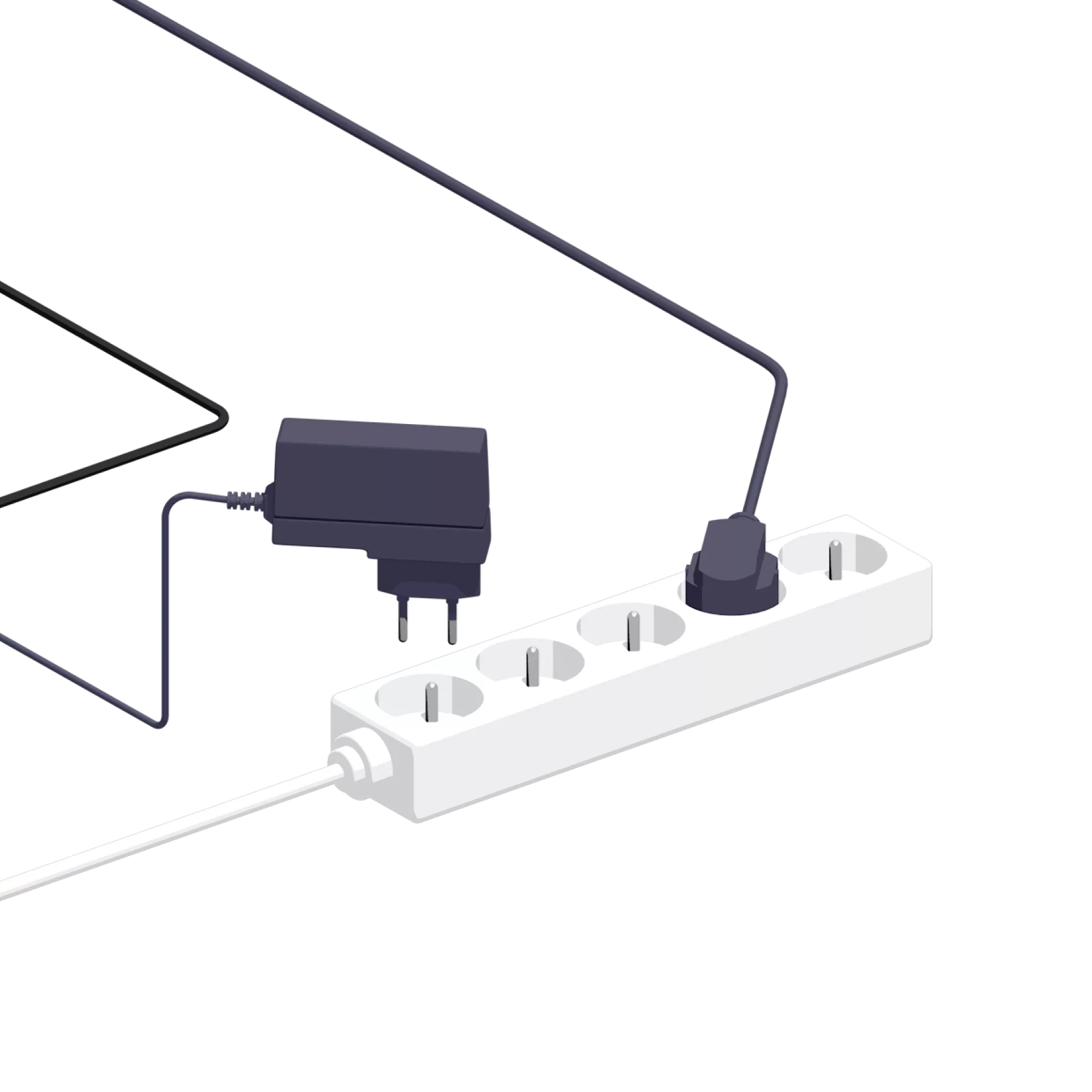
Connect the b-box’s power supply to the PLC adapter or to a multi-socket socket connected to the PLC adapter.
If you have several sockets in a row, make sure you connect the PLC adapter to one of them and do not use the others, to avoid any interference.

Step 4

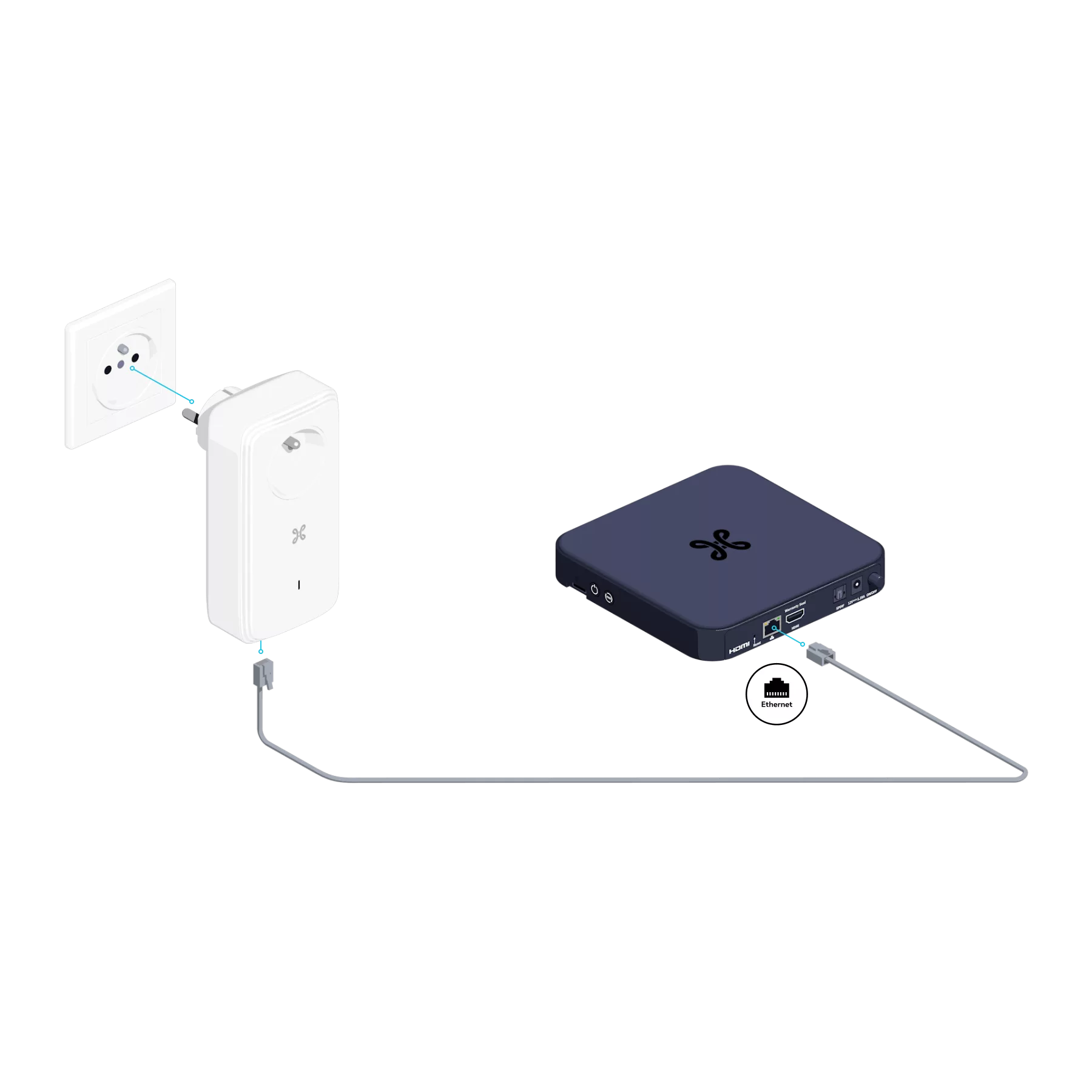
Connect the second PLC to the TV Box

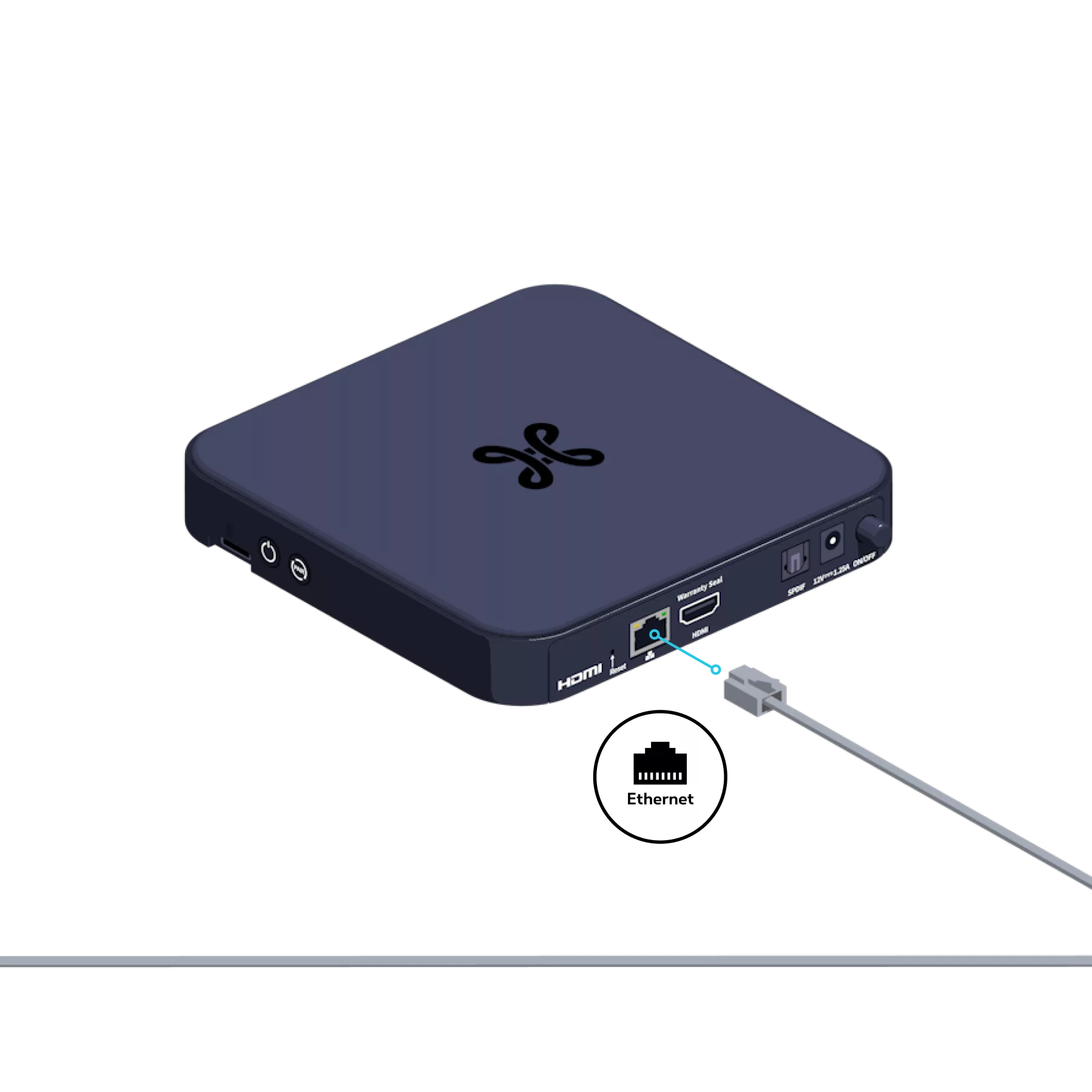
Connect the second PLC adapter to a power socket and connect it to the TV Box using the Ethernet cable.

Step 5

Switch on the TV Box

Connect the TV Box’s power supply to the PLC adapter or to a multi-socket socket connected to the PLC adapter.
If you have several sockets in a row, make sure you connect the PLC adapter to one of them and do not use the others, to avoid any interference.

Step 6

Check the indicator light on the second PLC

The PLC indicator light is flashing red. After a few seconds, the light should be steady and white. The installation is then complete.
Check that the connections have been made correctly. If the problem persists, reset both PLC adapters by holding down the button on the side of the adapter for 12 seconds
until the Indicator light goes out. Unplug the PLC adapters from the power sockets and plug them back in, preferably in the same room, whilst you reconfigure them.


Press and hold the button on the side of both PLC adapters for 1 second
(in any order). Once reconfiguration is complete, the indicator lights on both adapters will remain steady and solid white.
Flashing red
: device in deep sleep mode.
Steady red
: connection problem.
Blinking white
: configuration in progress or device in standby mode.
Solid white
: device configured and connected.
You can obtain a PLC adapter by contacting our customer service team so that you can connect an additional TV Box.

Was this guide helpful?

Thank you for your feedback!

Do you have any suggestions for us? What did you like?

We are sorry to hear that!
Your feedback matters to us!

What are you looking for?

Your feedback has been sent to our teams.