View all guides
Wi-Fi Booster
Installation GuideBefore you begin
Make sure you have a b-box 3 or later, and check that the Wi-Fi indicator light is turned on.
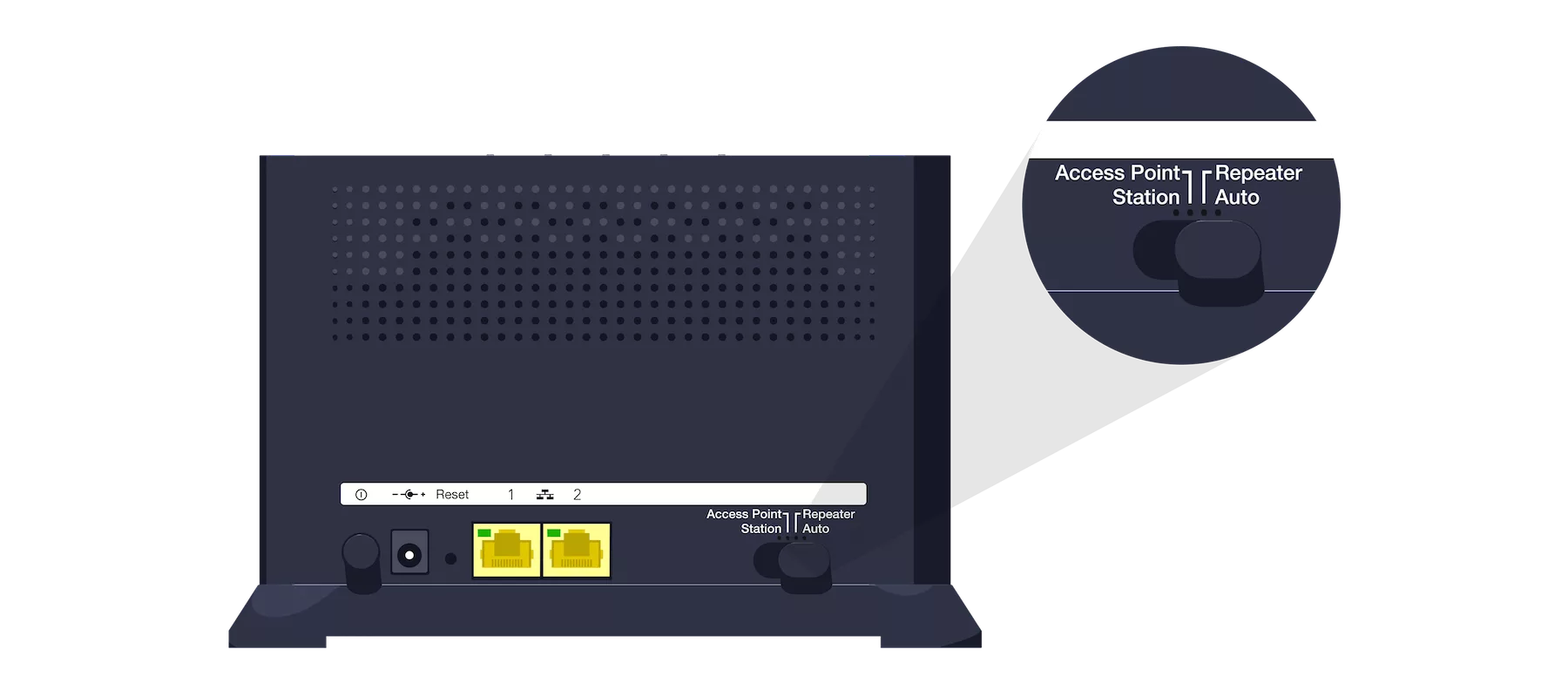
Check the button on the back of the Wi-Fi Booster
The button is set to AUTO.
Switch on the Wi-Fi Booster
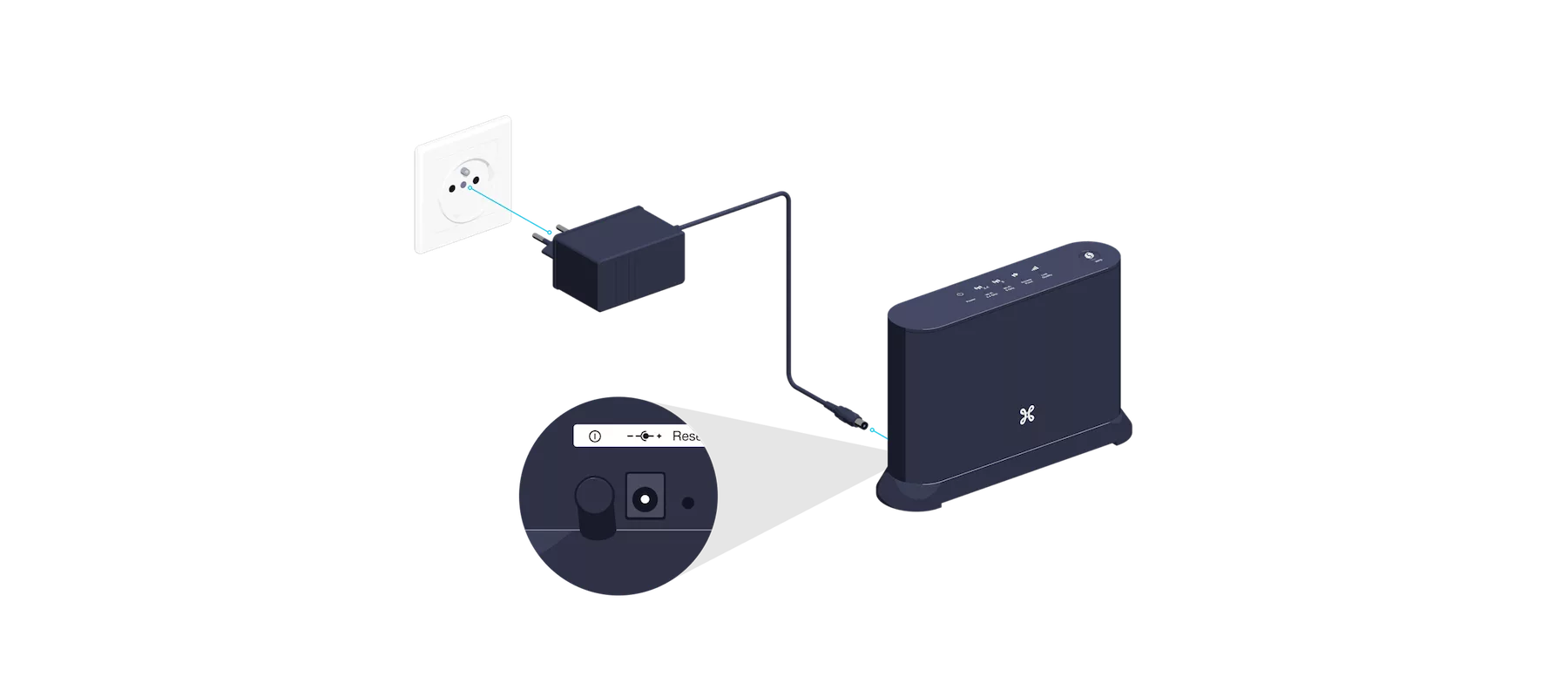
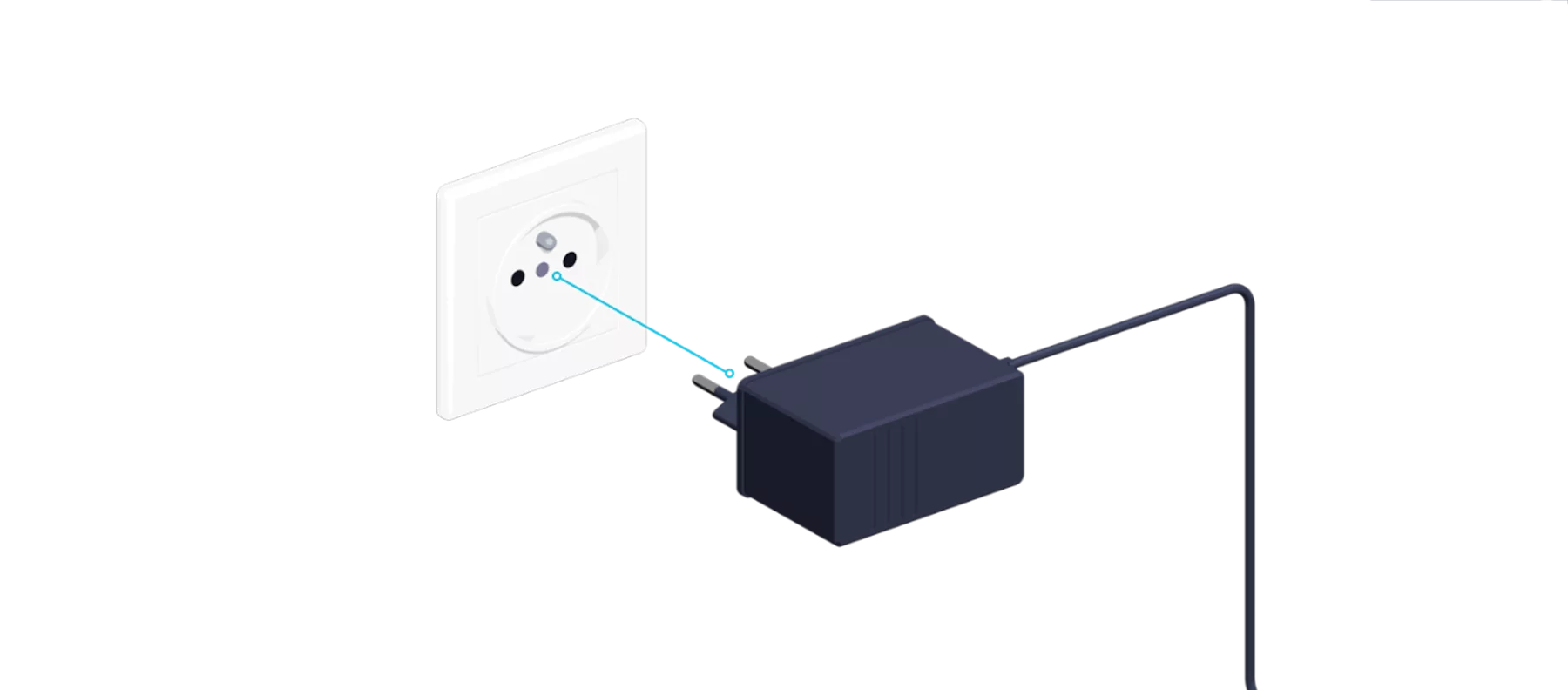
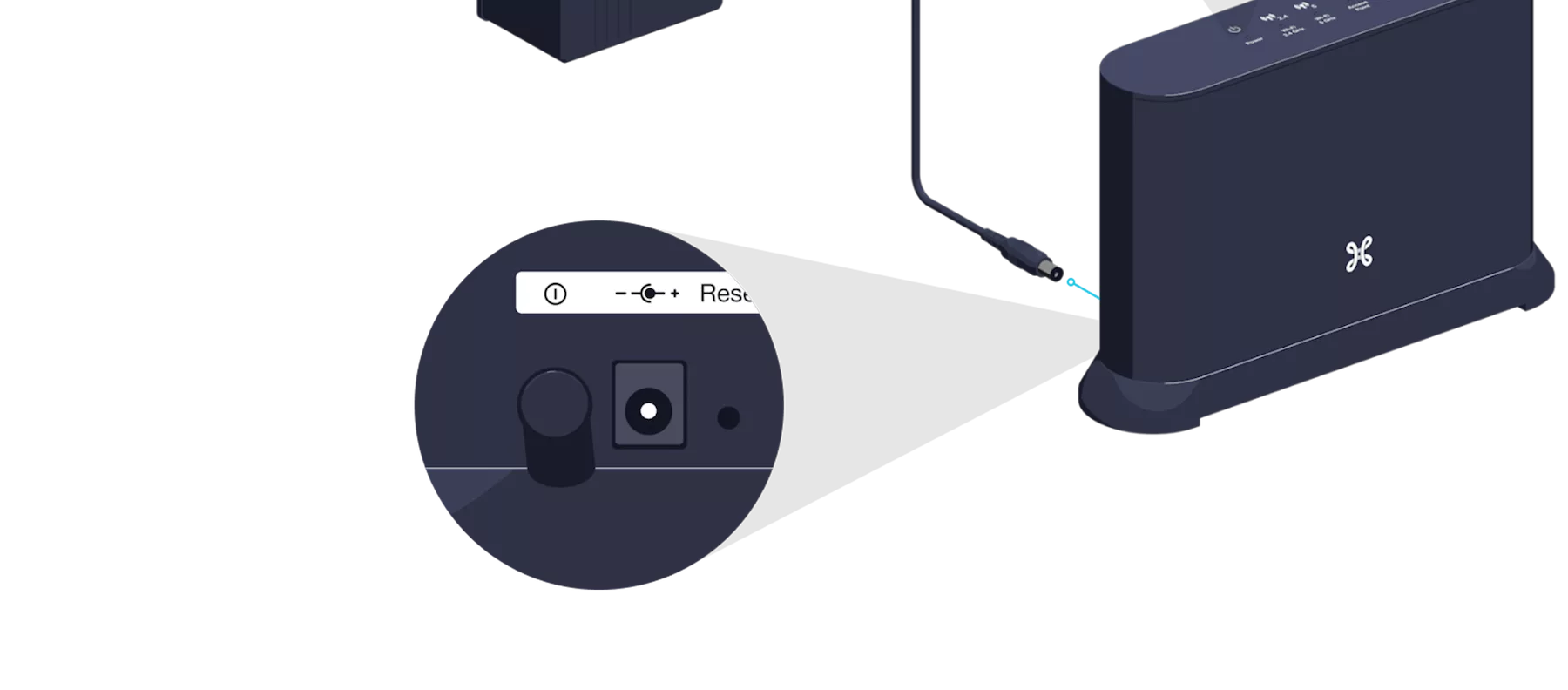
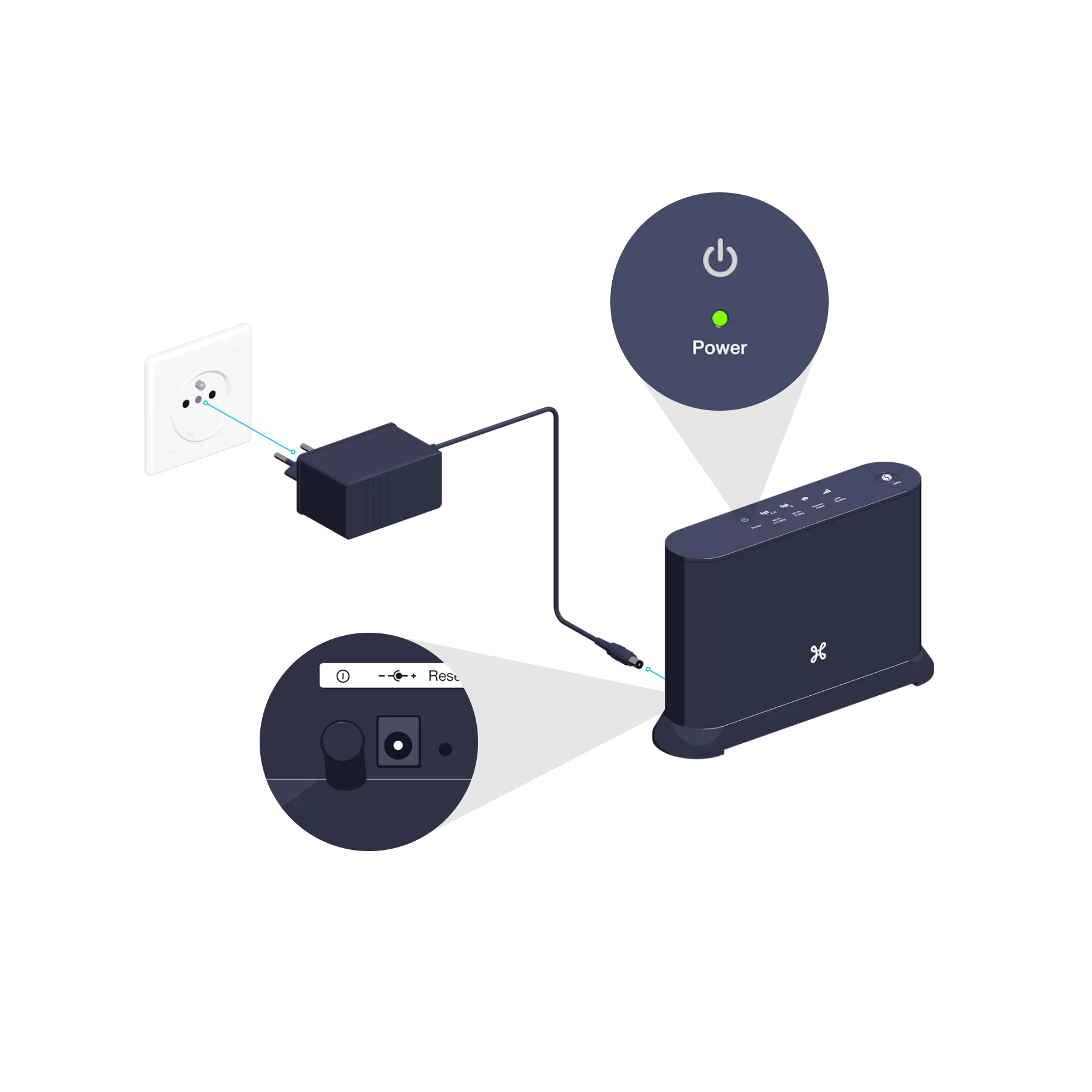
Connect the Wi-Fi Booster’s power supply cable to a power socket in the same room as the b-box. Press the POWER button; the indicator light will turn green.

Please wait 1 minute for the WPS indicator light to go out.

Synchronize the b-box’s Wi-Fi with the Wi-Fi Booster
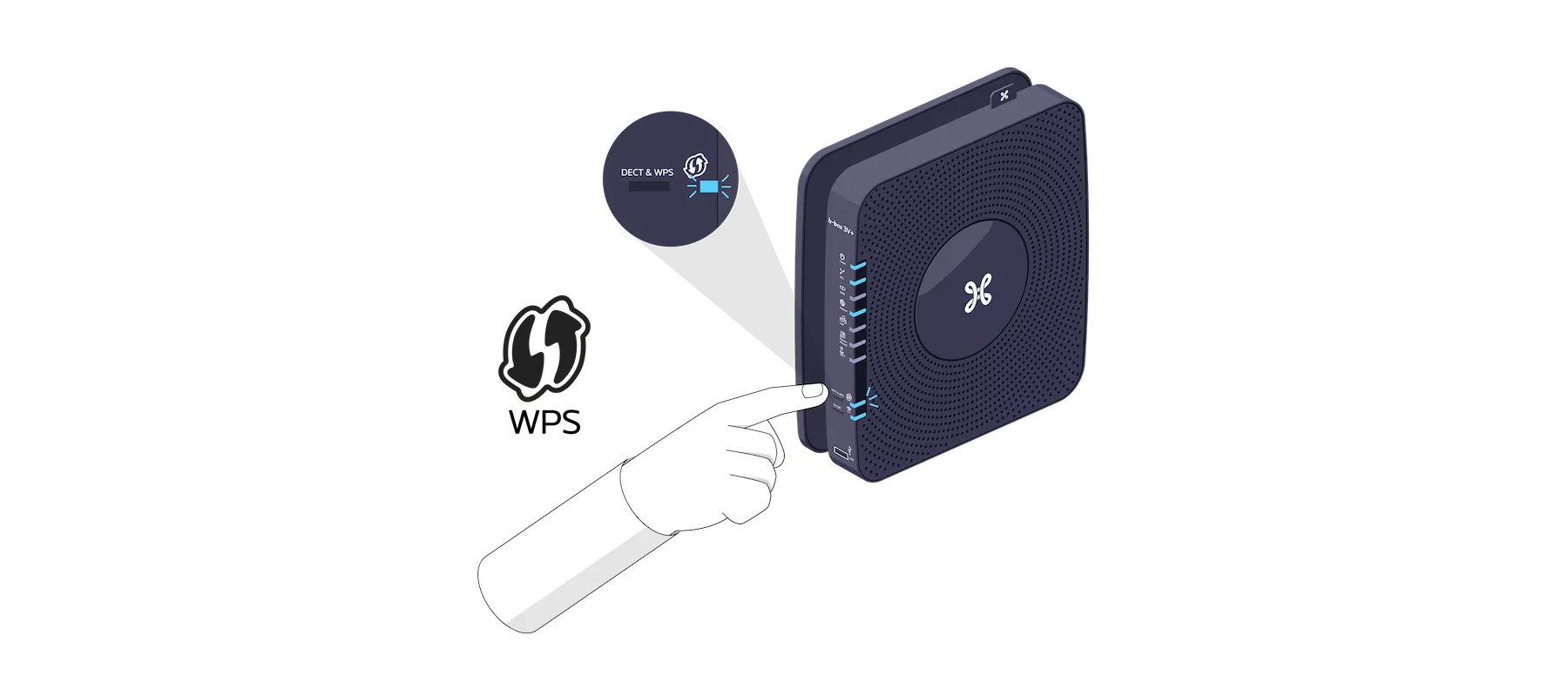
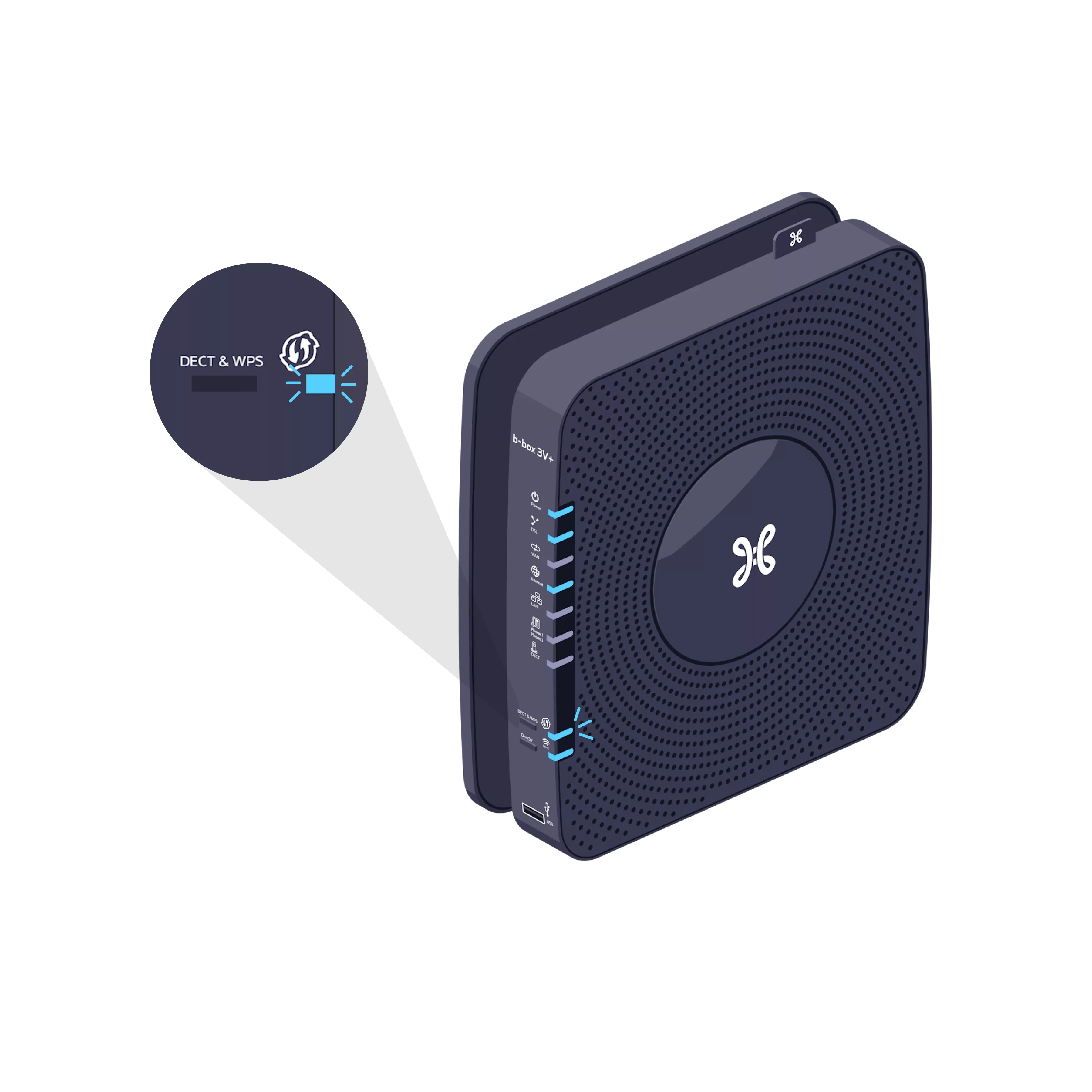
Press and hold the WPS button on your b-box for 2 seconds.

The WPS synchronisation indicator light is flashing.
Within 2 minutes, press the WPS button on the Wi-Fi Booster.
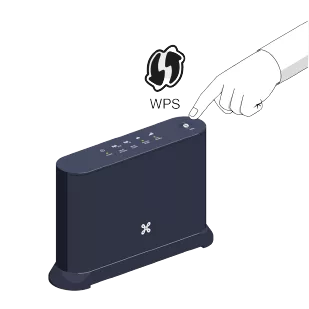
The indicator lights for the two devices will flash and then go out after a few moments.
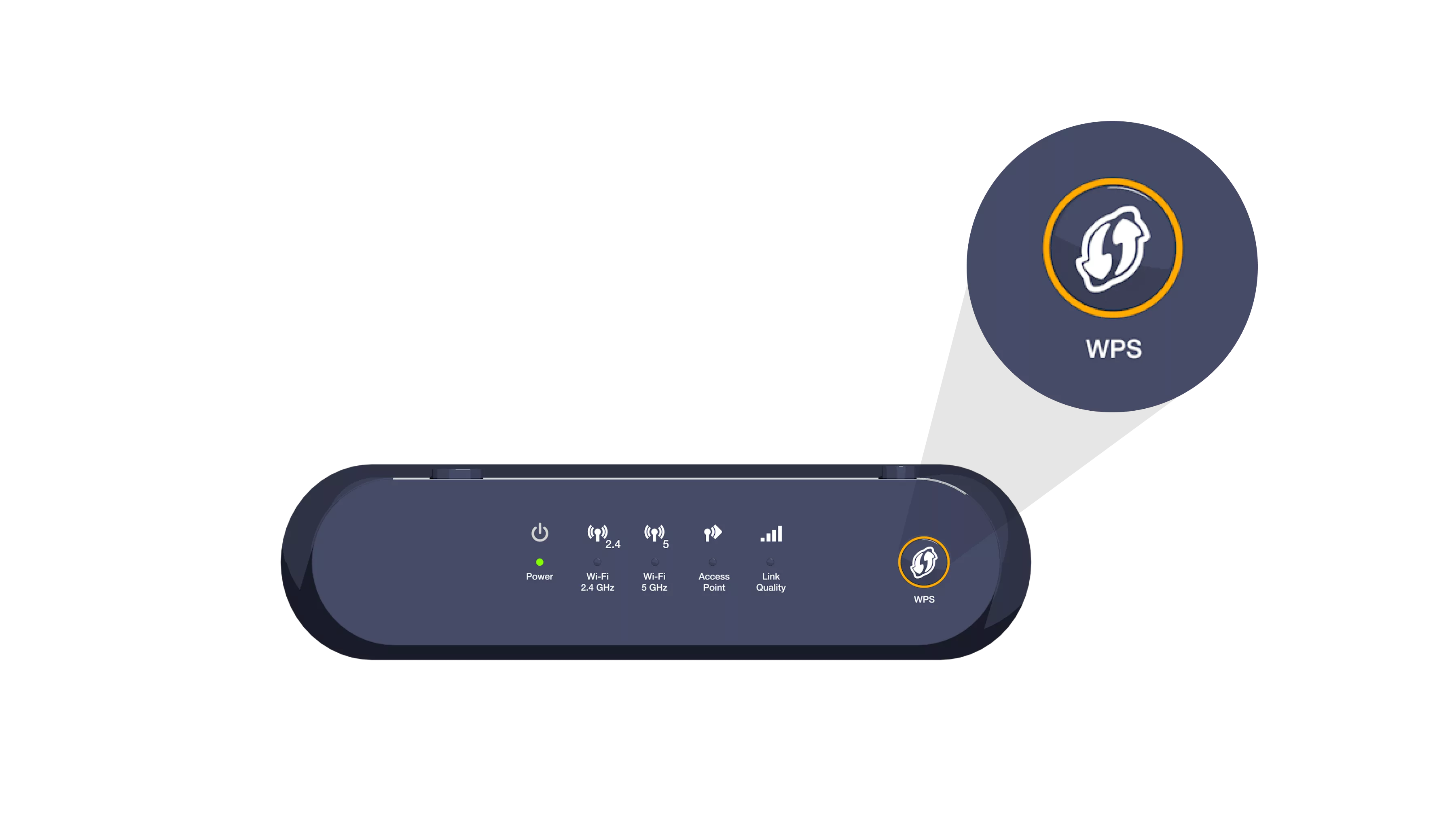

Once synchronization is complete, the Link Quality indicator light remains turned on.
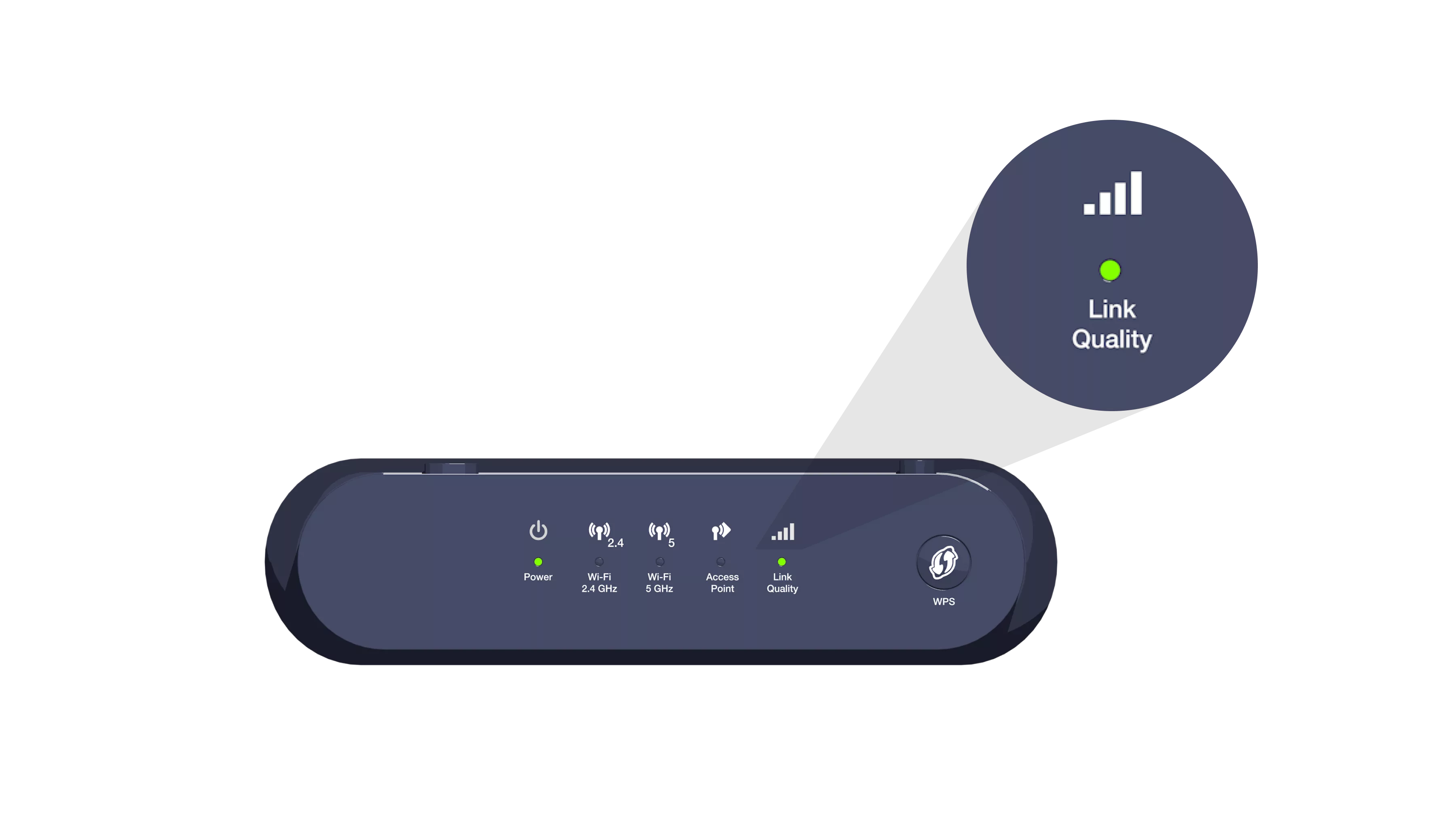
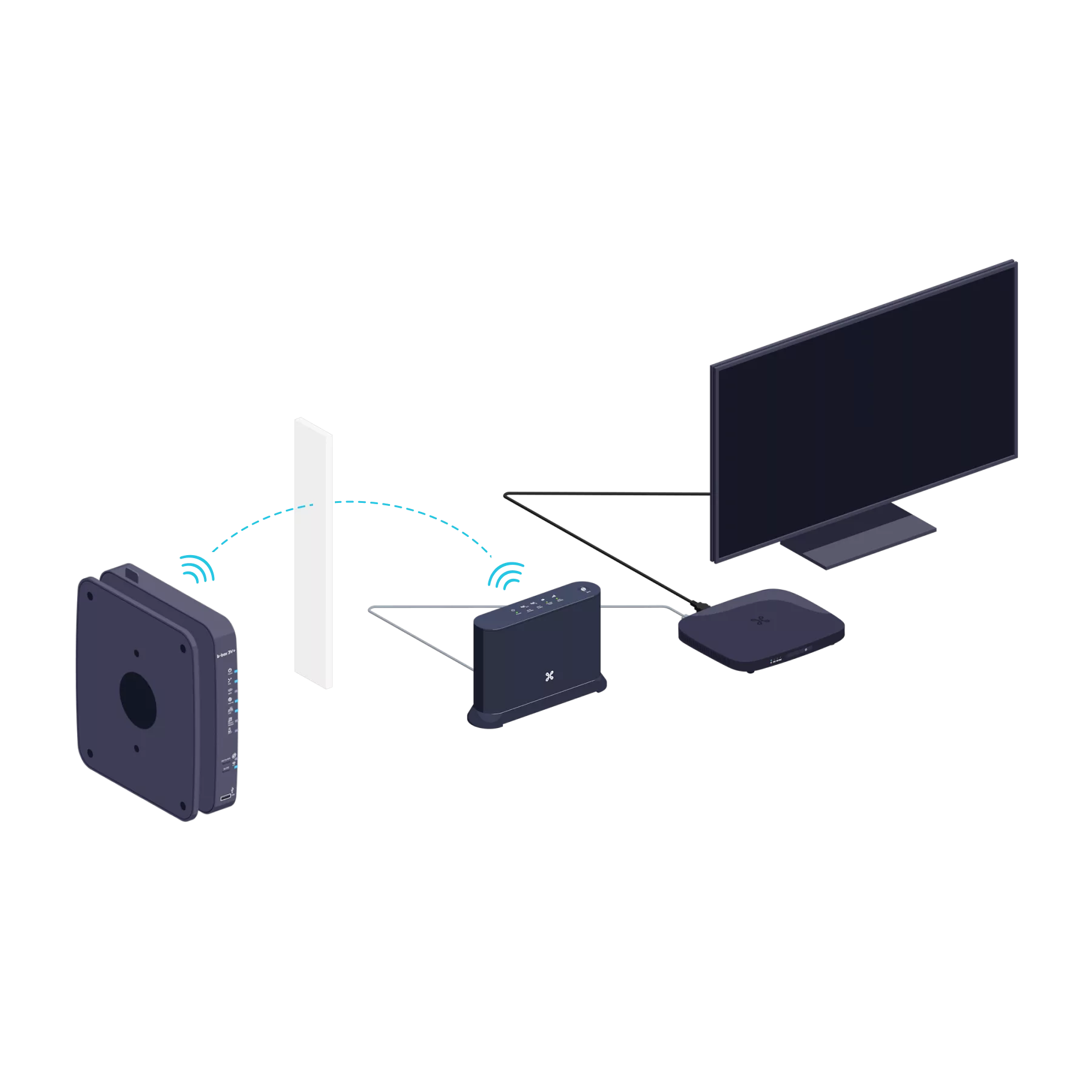
You can unplug your Wi-Fi Booster and place it in any room you like.
Connect the Wi-Fi Booster to the TV Box
Use the Ethernet cable and connect one end to one of the yellow Ethernet ports on the back of the Wi-Fi Booster. Connect the other end of the cable to the TV Box.
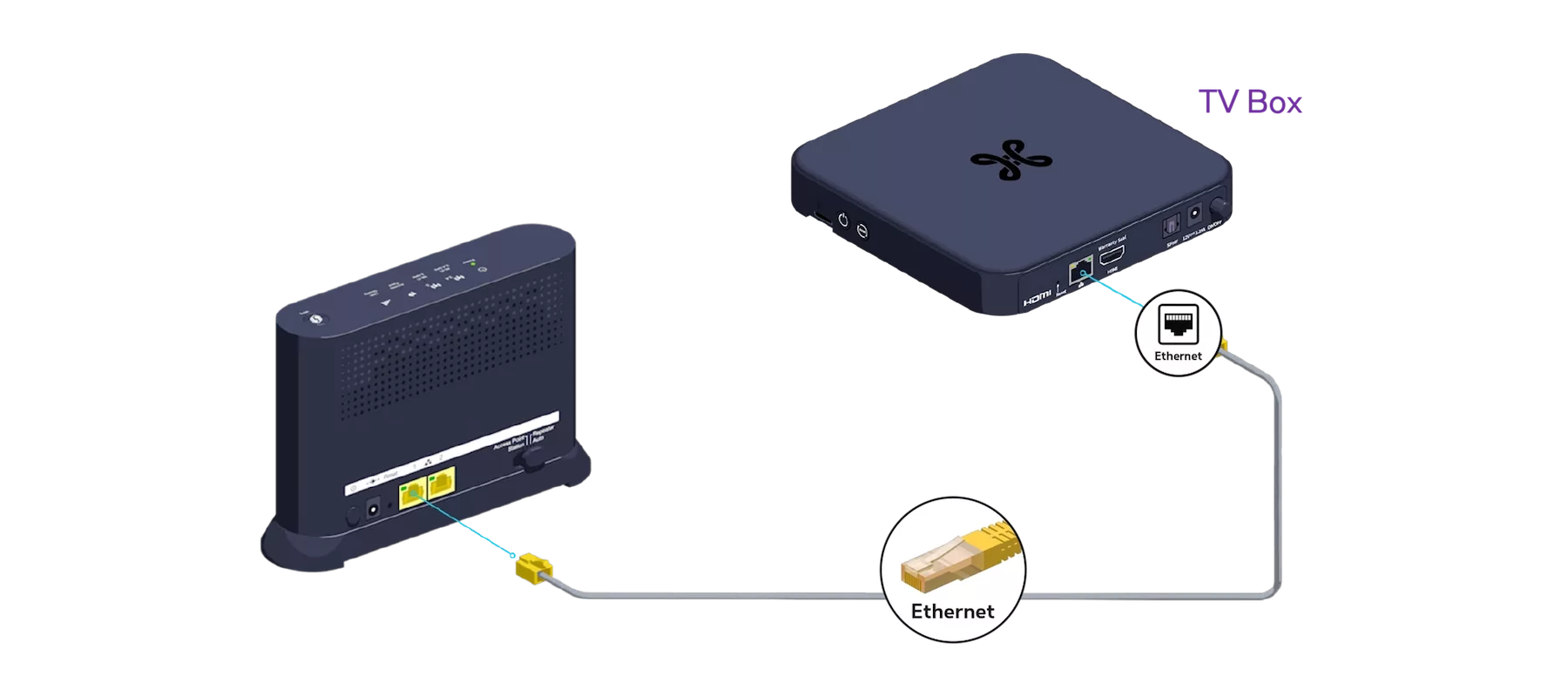
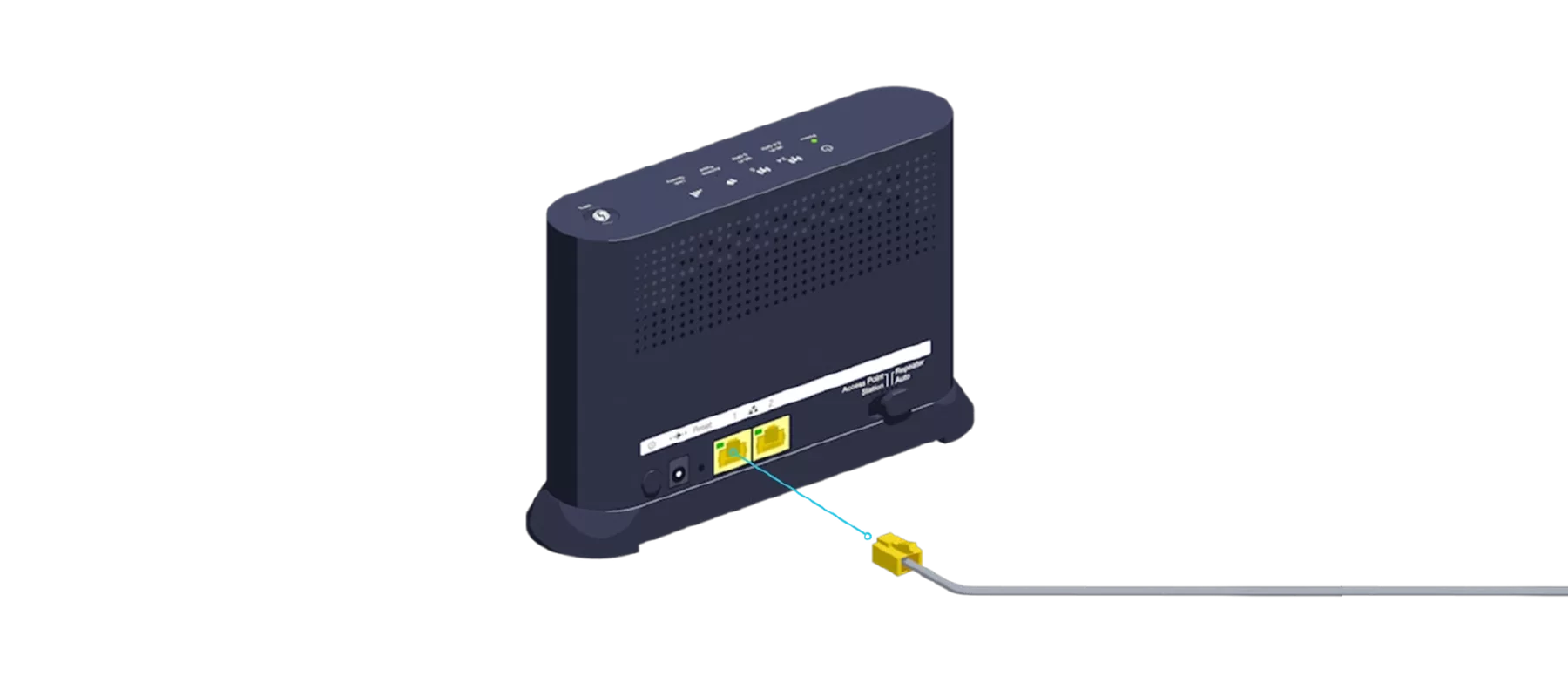
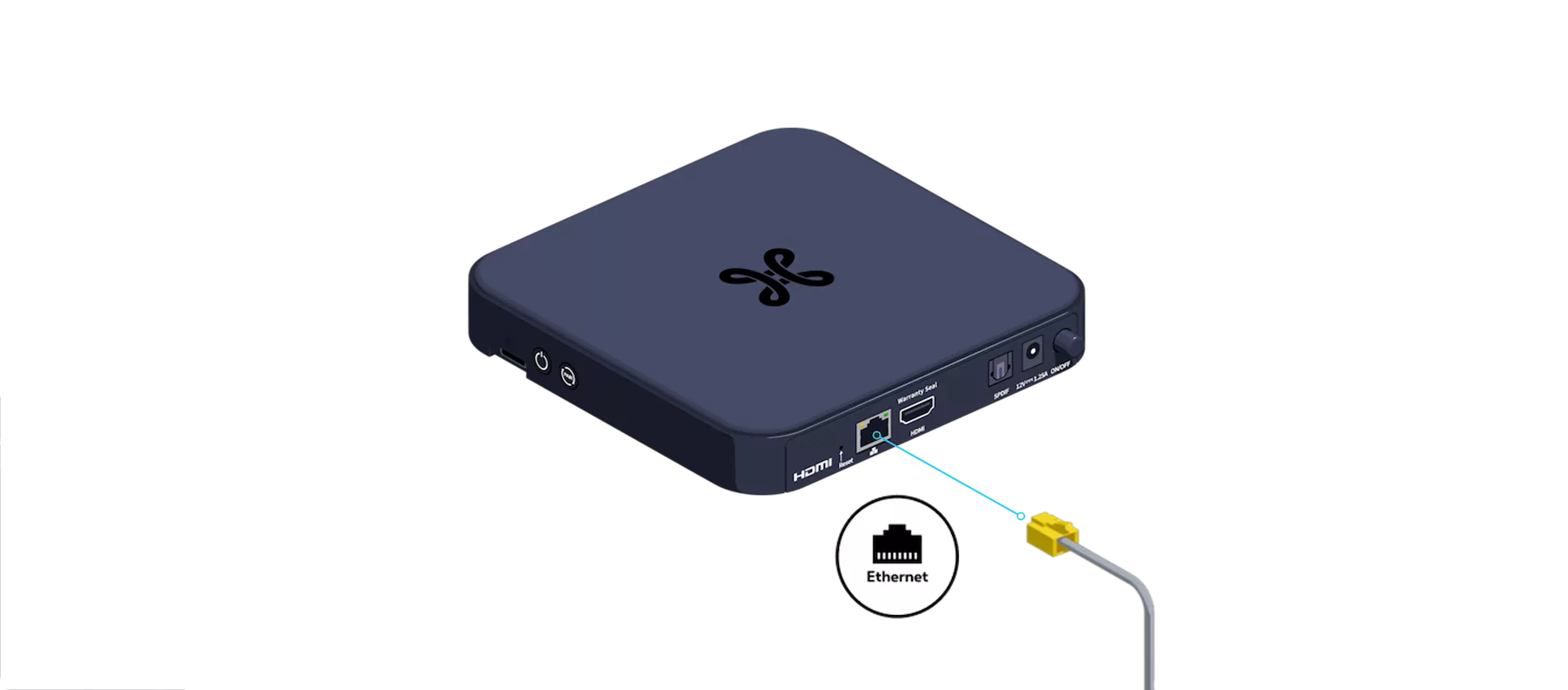
-
You’re free to connect other devices to the Wi-Fi Booster’s other free yellow Ethernet port: a games console, a Blu-ray player or a computer.
Switch the Wi-Fi Booster and TV Box back on
Connect the Wi-Fi Booster’s power cable to the power socket. Check that the POWER button is pressed down.

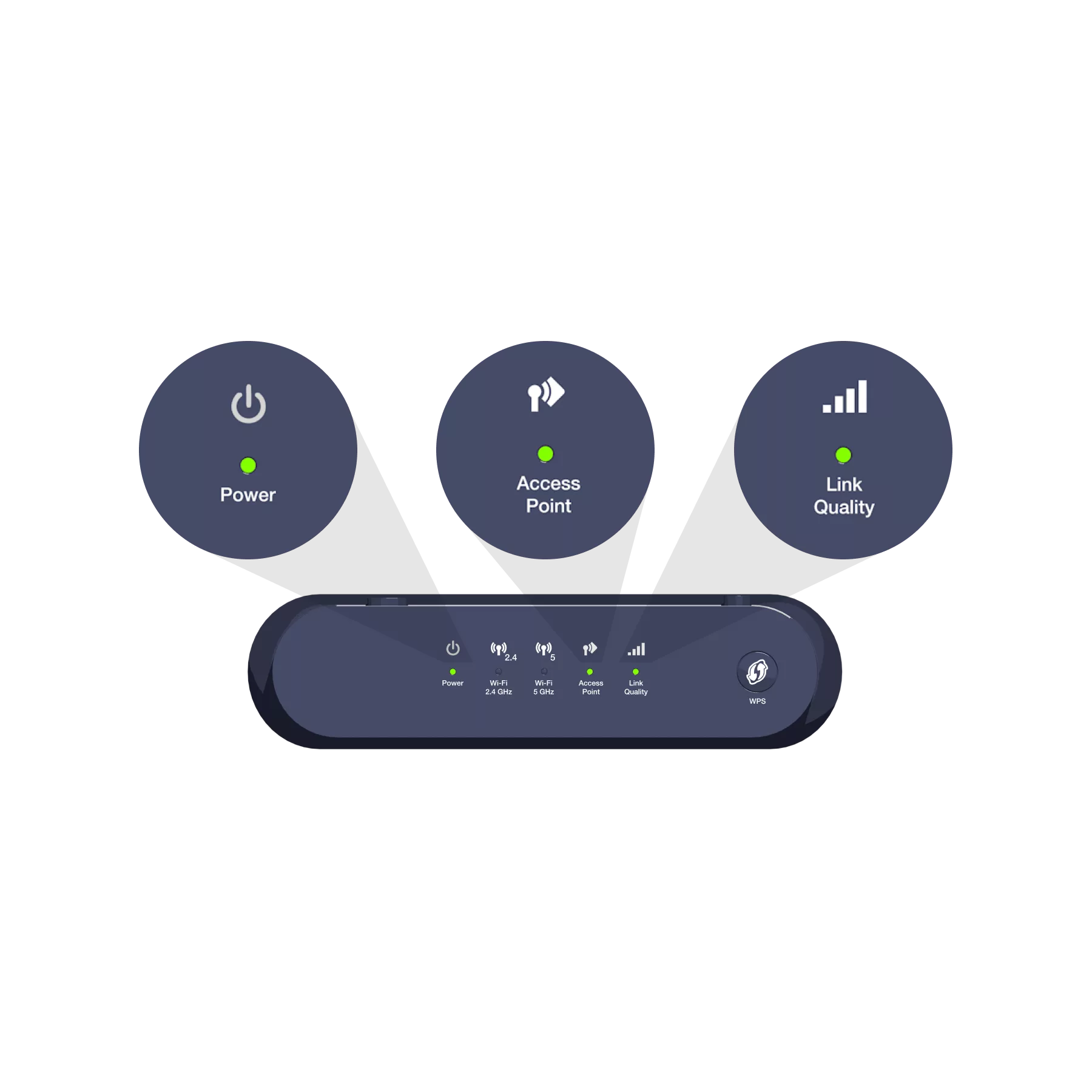
The indicator lights turn green.

The indicator light turns green.
You can switch on your TV Box.
-
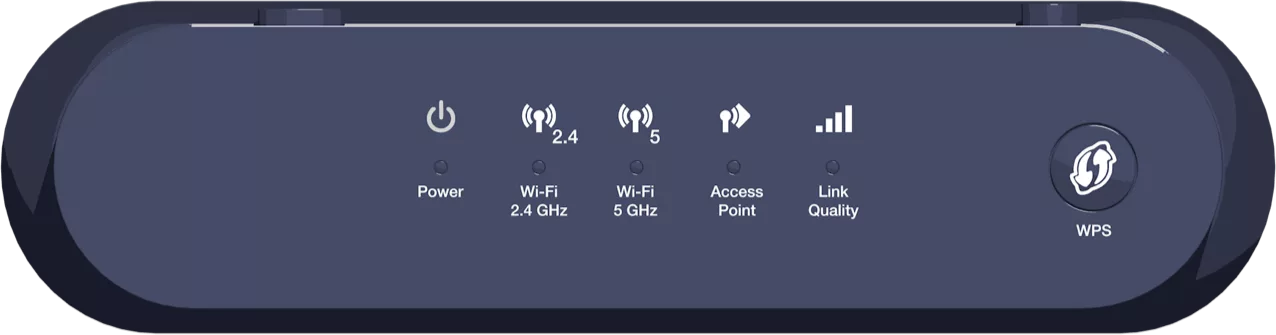
 The device is turned on.
 A Wi-Fi-enabled device is connected to the Wi-Fi Booster’s Wi-Fi network.
 The device is configured to extend the Wi-Fi network at home.

Indicates the quality of the received signal.
- Green: optimal signal.
- Orange: acceptable signal.
- Red: poor signal. You will need to move the device or use a second one to boost the signal.

Indicates the synchronisation status between the transmitter and the receiver.
- Steady green: the installation was successful.
- Flashing orange: an operation is in progress.
- Steady orange: the device is starting up.
- Red: synchronization has failed.
As well as letting you enjoy your TV, your Wi-Fi Booster also extends Wi-Fi coverage throughout your home.
There you go – you can now enjoy the TV and Wi-Fi!